

Top 10 Note-Taking Apps
Are you someone with an endless supply of unfinished notebooks? Optimise your note-taking by using your device and downloading a note-taking application instead.
Important house-keeping!
Here we are with another top 10 list:
This time we’re all about note-taking applications. If you’re someone who likes to write things down or is always forgetting their thoughts and ideas, note-taking applications can be a lifesaver. Oh, and it’s also paperless.
We have gathered what we believe to be the best 10 applications for taking notes, the article presents each application as follows:
- ✨ Summary – A little introduction to the application.
- 💰Price – How much the application is, and if there’s a free trial.
- 💭 Opinions – What we think each application is best for.
- ⚡️ Detail – A little about the features of the application and where you can download them.
1. Craft
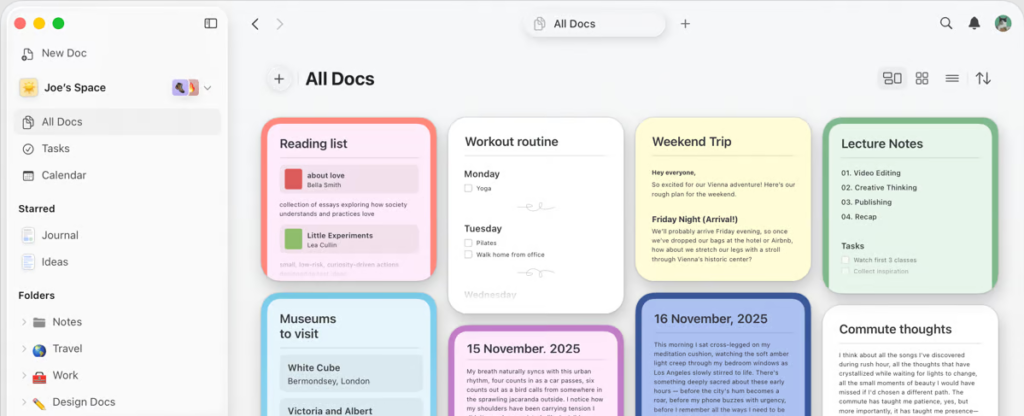
A beginner’s guide to using Craft.
💰Price: Free / Pro $6 / Business $12 (price per month)
✨ With Craft you can create a beautiful collection of notes, use headers, and images and organise everything, from simple notes to planning a trip!
💭 Craft is best for personal documents.
⚡️You can download Craft on all devices, and use it within your web browser. Download templates and use the toolkit to create beautifully organised notes for whatever you need. You can share your notes by inviting friends, family and co-workers. With Craft, you can even use bi-directional linking, so all your notes make sense and can be found when you need them!
2. Notion
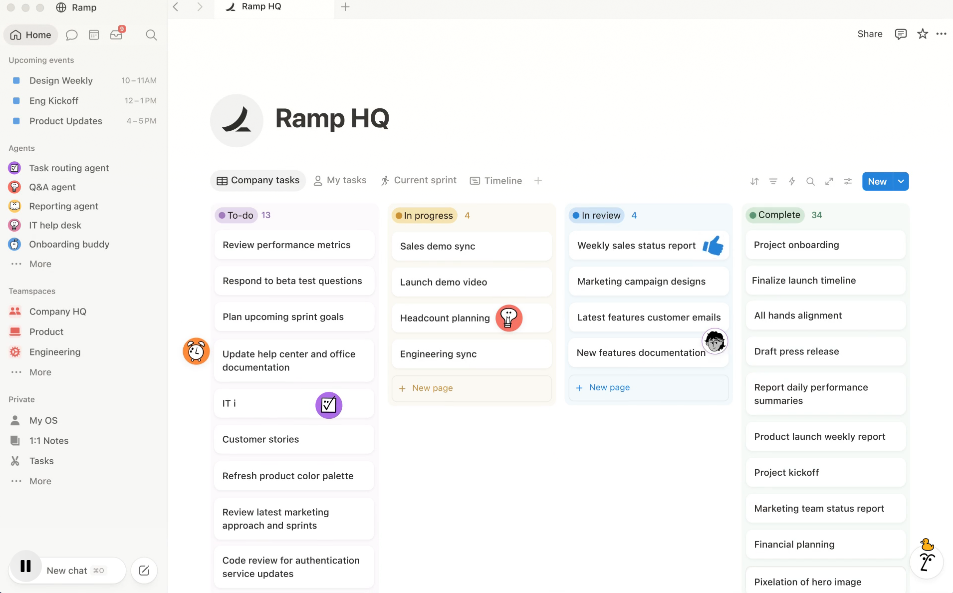
Learn how to create a second brain using Notion.
💰Price: Free / Pro – $5 / Team – $10 (price per month)
✨ Notion is a completely customisable space to create whatever you need. From to-do lists and notes to a whole second brain system.
💭 We think *Notion is perfect for personal and team productivity and notes.
⚡️Notion is available to download on all devices and can be used on the web. Connect with your team, or even your friends to work together on projects, or just share notes. It can take a while to learn how to customise Notion, but when you do, you can create a workflow that works for you. Download ready-made templates to get started.
3. Evernote
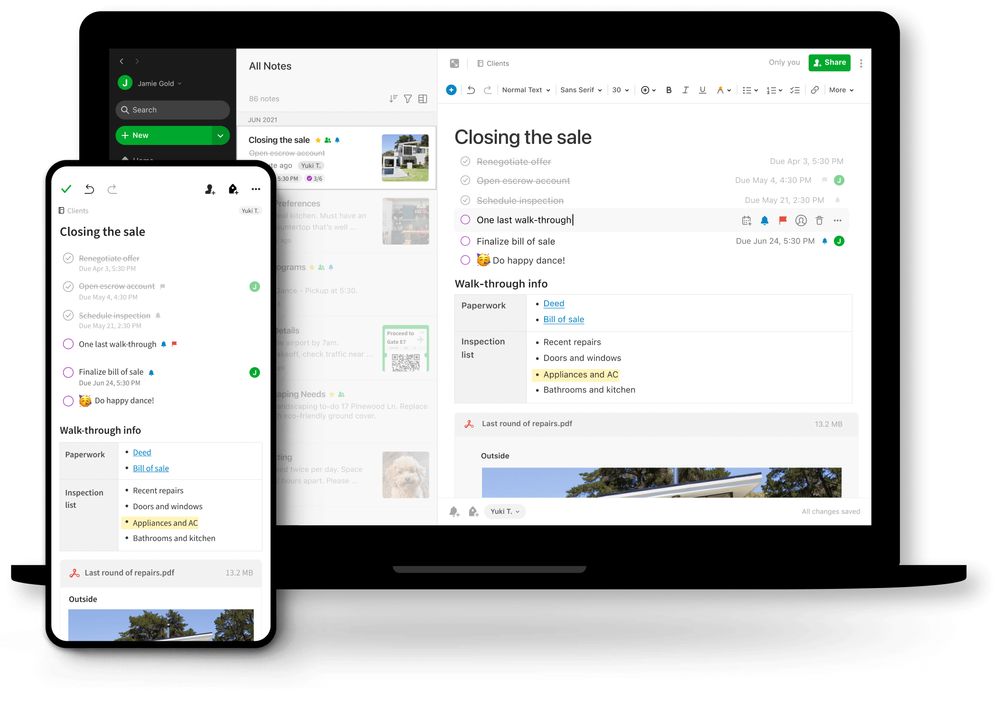
💰Price: Free/ Personal £5.99 / Professional £7.49 (price per month)
✨ With Evernote you can create a space for all your notes, tasks, calendar events, web clippings and more.
💭 Evernote is an all-around great hub for all note-taking.
⚡️ Download Evernote on iOS, and Android or use it in your browser. Create an organisational workspace that fits your note-taking needs. Use the web clipper to save web pages, annotate websites and more. Integrate applications you already use like Google Calendar and Slack. Find older or lost notes by using the keyword search bar!
4. Obsidian
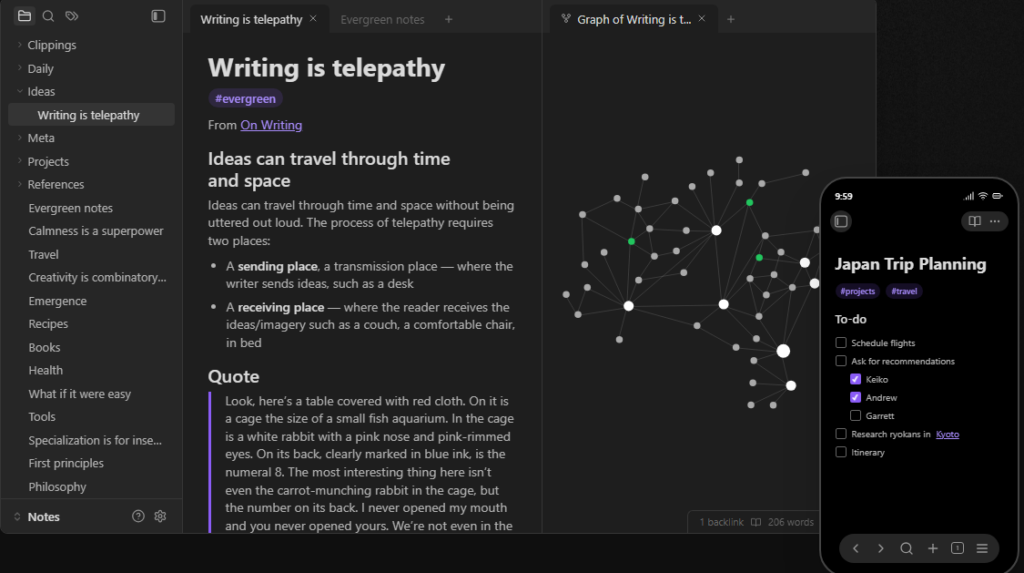
💰Price: Free / Catalyst – $25+ (one time payment) / Commercial $50 (per year)
✨ Obsidian is a markdown-based system you can customise to create a second brain. It’s essentially a huge personal knowledge base saved into folders using plain text.
💭 Obsidian is better for serious note-takers.
⚡️Obsidian is available to download on all platforms. Use Obsidian throughout your day to keep note of all your thoughts and ideas. Then go back at the end of the day to connect the dots and create your very own knowledge-based system that works for you, like a second brain. Start by adding notes, then organise using headers, links and shortcuts.
5. Logseq
💰Price: Free / Contribute $5-$500 (Different tiers available)
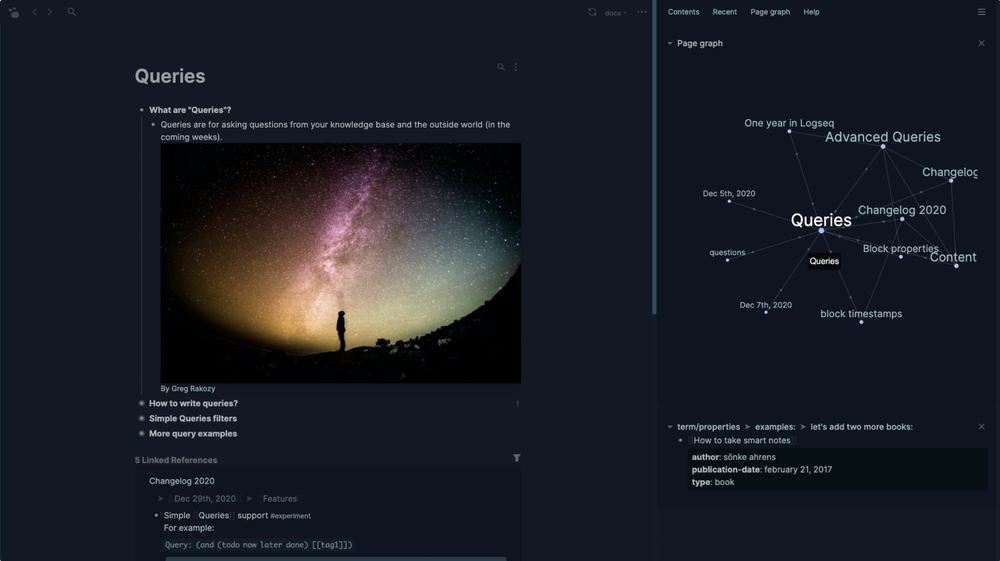
✨ Logseq is another second brain application that optimises your note-taking to create a whole new knowledge base of your thoughts and ideas.
💭 Logseq is also better for serious note-takers.
⚡️Logseq is available on desktop, iOS and Mac (Android coming soon). Very much like Obsidian, using a markdown-based system with plain text, and all your own files (not saved onto a server, unless you pay extra for it). Create your own second brain by writing down notes throughout the day, then organising with headers, shortcuts, bi-directional linking and more.
6. Amplenote
Get Things Done using Amplenote!
💰Price: Free / Pro – $5.84 / Unlimited – $10 / Founder – $20 (billed annually)
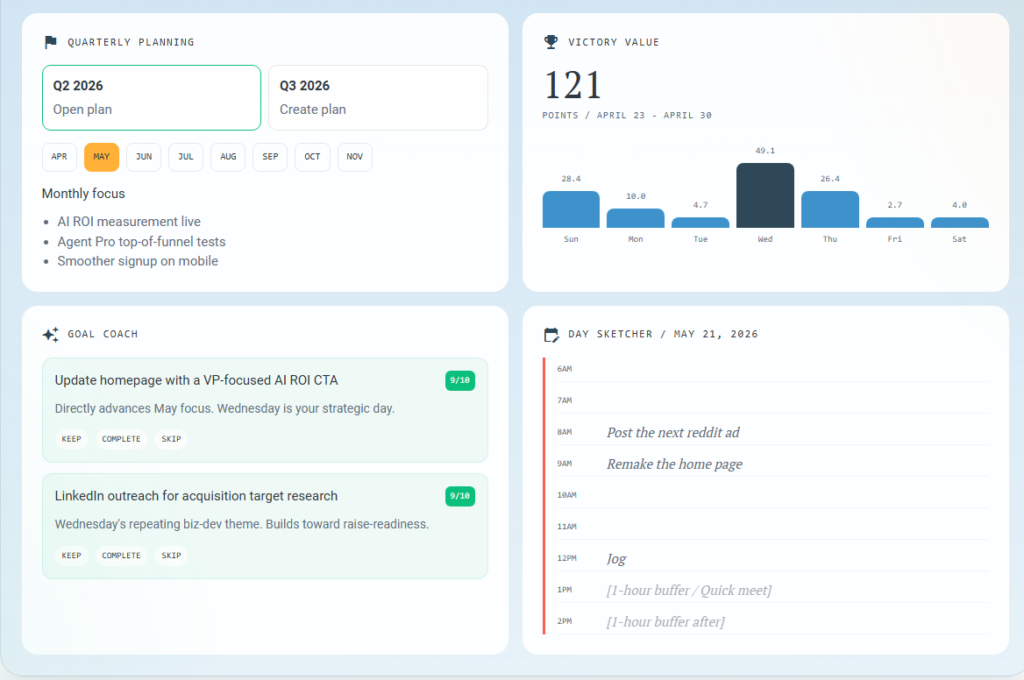
✨ With Amplenote you can create to-do lists, manage tasks and even integrate your calendar. A simple place to completely organise your day.
💭 It’s great for GTDers and notetakers alike.
⚡️You can download Amplenote on Android, and iOS and use it on the web. Quickly add notes to your daily log to later organise. Connect your ideas to create refined notes and even turn them into tasks. Create bullet point type to-do lists using colour coding and headers to organise. Work side by side with your calendar to schedule tasks.
7. Reflect
💰Price: 14-Day free trial / $13 (per month, billed annually)
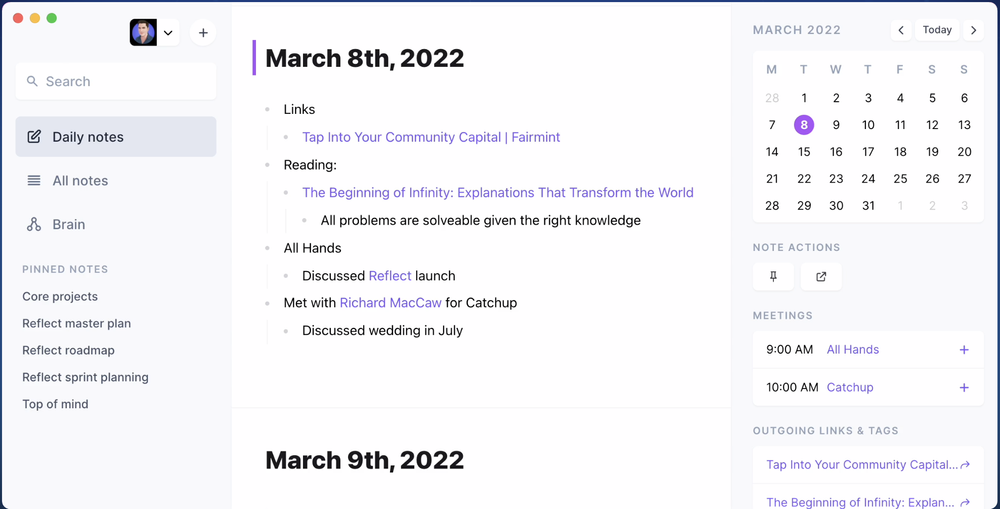
✨ Reflect is another second brain system. You can organise your thoughts and ideas using backlinks, search for previously logged notes and create a whole connected system.
💭 Reflect is a new tool with Logseq and Obsidian skills.
⚡️Download Reflect on Mac, iOS or use the Chrome extension. Connect your notes using backlinks, to later search for past ideas. Use shortcuts and codes to help you pull up past information all in one place. Reflect uses end-end encryption so all notes are safe, you can also use the application online or offline.
8. Nimbus
💰Price: Free / Pro – $8 / Business – $10 (price per month)
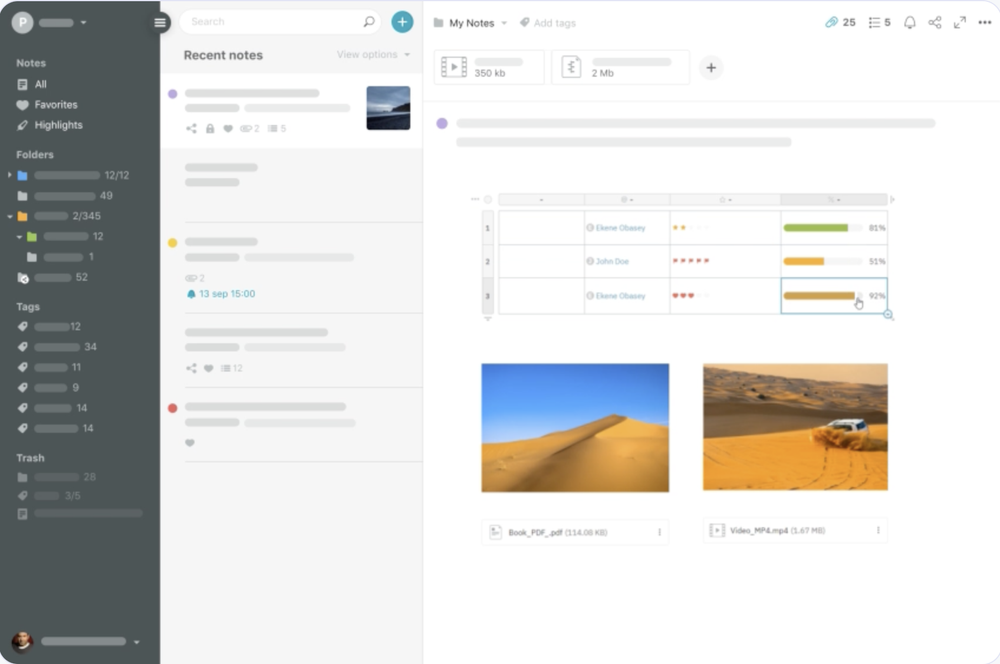
✨ With Nimbus note you can create pretty much anything, from quick ideas to full documents and wikis. Use for yourself, or within a team.
💭 Nimbus has great Evernote alternatives.
⚡️ Available on all devices! Nimbus is very much like Evernote, with the sense of creating an organised place for all kinds of to-do lists and notes. You can add images and attachments, and share them with other people. Create databases and spreadsheets to organise your time, projects or anything else! Organise your notes with categories and tags.
9. Bear Notes
💰Price: Free / Pro – $1.49 (one week free trial) or $14.99 (one month free trial)
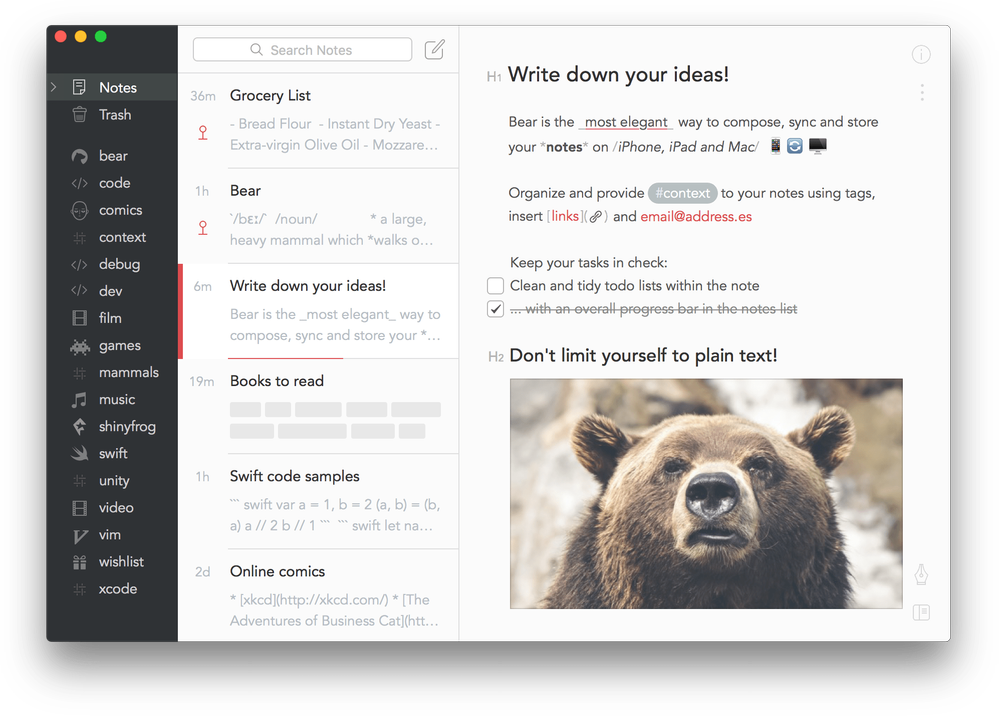
✨ Bear Notes is a place to brain dump all your ideas and organise them by linking ideas together, using hashtags, and creating categories.
💭 Bear Notes is a minimal and easy-to-use note-taker.
⚡️Available on iOS devices and Mac. Write either quick notes or entire essays with Bear Notes, you can even enter a focus mode to remove any distractions. Choose notes to encrypt and set passwords to lock notes. Tons of tools and shortcuts to help optimise your writing, from word counts and reading times to exporting. All notes are stored in plain text.
10. Agenda Notes
Our quick review of Agenda Notes.
💰Price: Free / In-app purchases
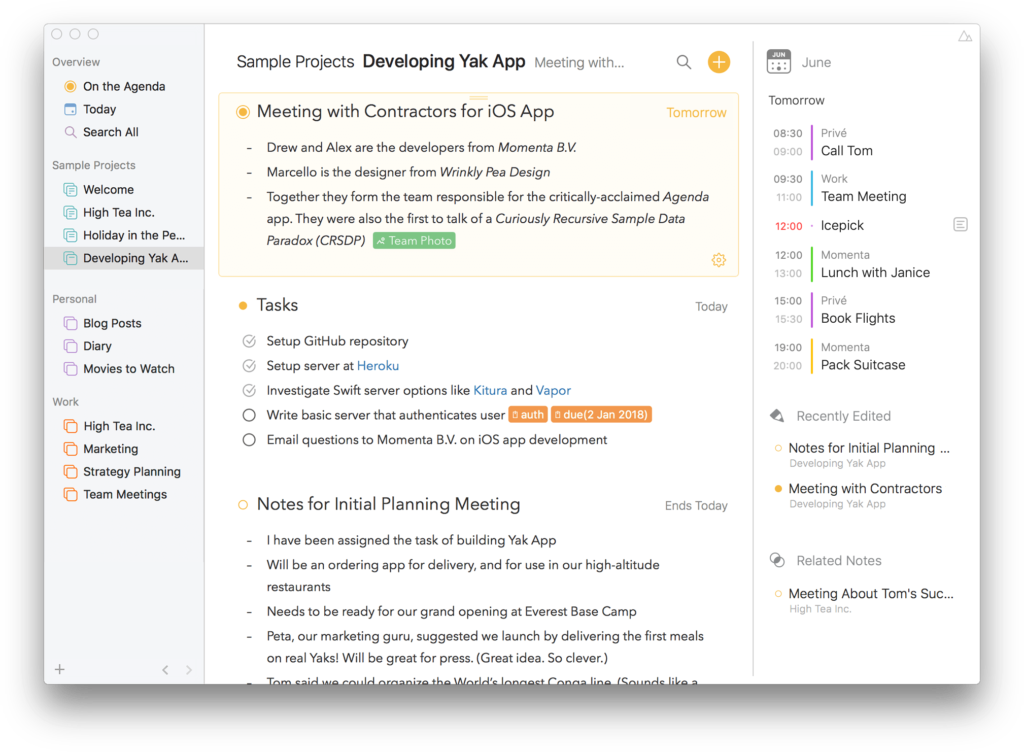
✨ Agenda calls itself a date-focused note-taking system, to plan and organise all your thoughts and ideas.
💭 Perfect for blending your calendar and notes.
⚡️Available on Mac and iOS. Take notes for whatever you need, and add dates to these notes to integrate with your calendar to further plan your schedule. You can add notes to your agenda to make them searchable, and add them to their own category. Write using different styles, tools and paragraphs to add your own style. Order your notes into a timeline to increase productivity.
We hope you have enjoyed learning about the top ten note-taking applications, we would love to hear your opinions, if you have tried any, or what your productivity plans look like for next year.