

4 Best Daily Planners for Organizing your Day
Here are some of the best daily planners and to-do list apps to help organize your day and increase productivity.
With so much to do and so little time, having an app to help with planning, scheduling and organising your tasks is quite literally a life saver.
Stop writing your to-do lists on paper and forgetting about them, instead try one of these daily planner apps to make sure you stay on track!
1. Motion
📲 Availability: Mac, Windows, iOS, Android.
💰 Price: 7-Day Free Trial. Individual $34 per month. Team $20 per month, per user.
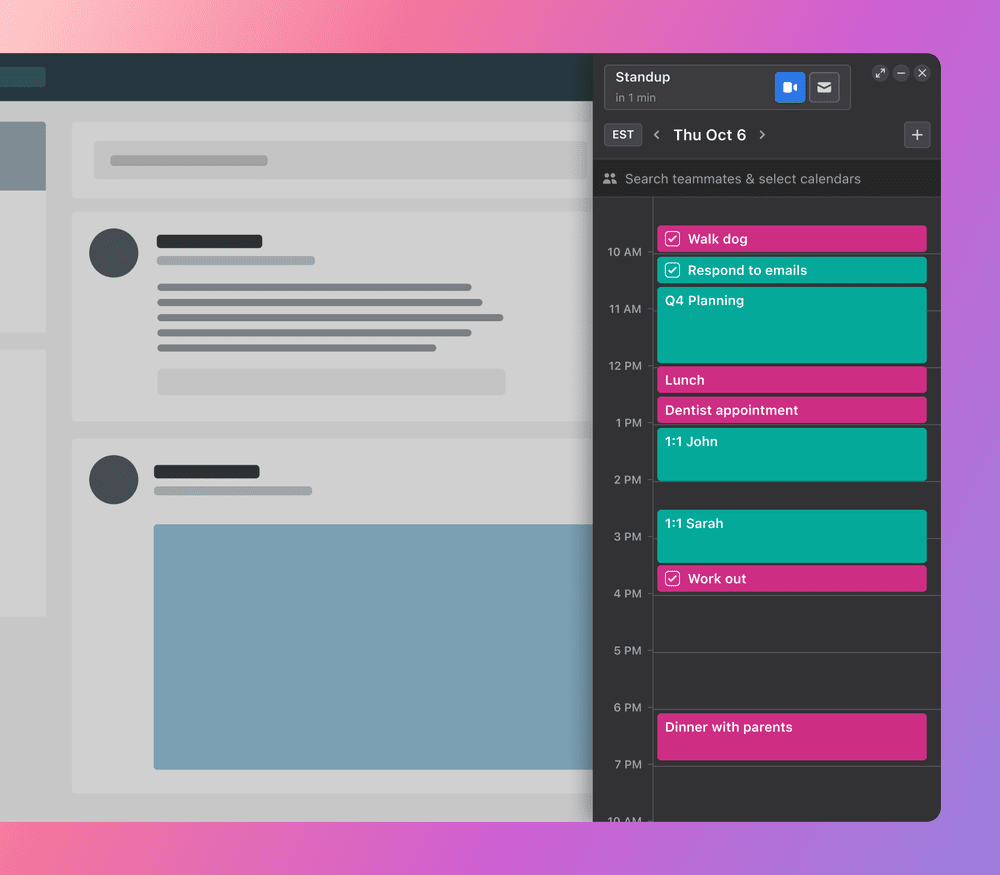
Motion is great for managing your time and increasing productivity. It is quite expensive per month for an individual, however, its features are pretty good for optimizing your planning and scheduling.
✨ Features:
- Calendar – Your tasks, to-dos and activities are optimized automatically into your schedule to ensure you are making the most of your time available.
- Project Manager – Automates 90% of the planning for your team.
- Task Manager – Prioritizes and adds tasks to your schedule to ensure you complete tasks before deadline dates.
🔥 Rating: GREAT.
2. Sunsama
📲 Availability: Mac, Windows, iOS, Android.
💰 Price: 14-Day Free Trial. $20 per month, per person.
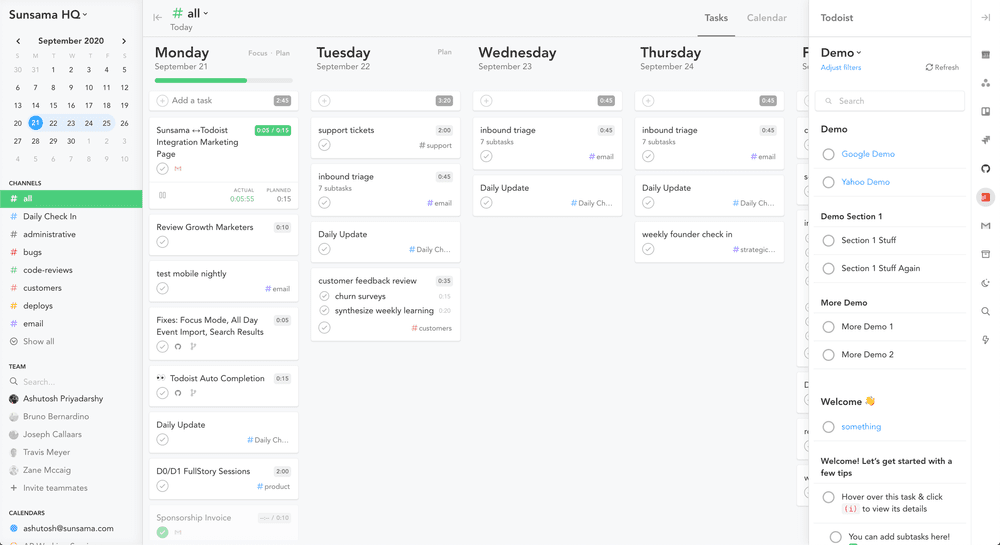
Sunsama is a to-do list application which shows you your weekly and daily view to help plan and schedule your time appropriately. It has a few features to help optimize your time and track your progress.
✨ Features:
- Daily Kanban – Cut out distractions by choosing the tasks you want to do today, and move the rest aside. Any incomplete tasks are moved to the next day.
- Progress Tracking – See how you spend your time and how to improve it. Also, see where you have made progress.
- Action Items – If working with a team, when actions are created within a meeting they can be turned into tasks and added to your schedule.
🔥 Rating: GOOD/GREAT.
3. Routine
📲 Availability: Mac, Windows, iOS.
💰 Price: Free!
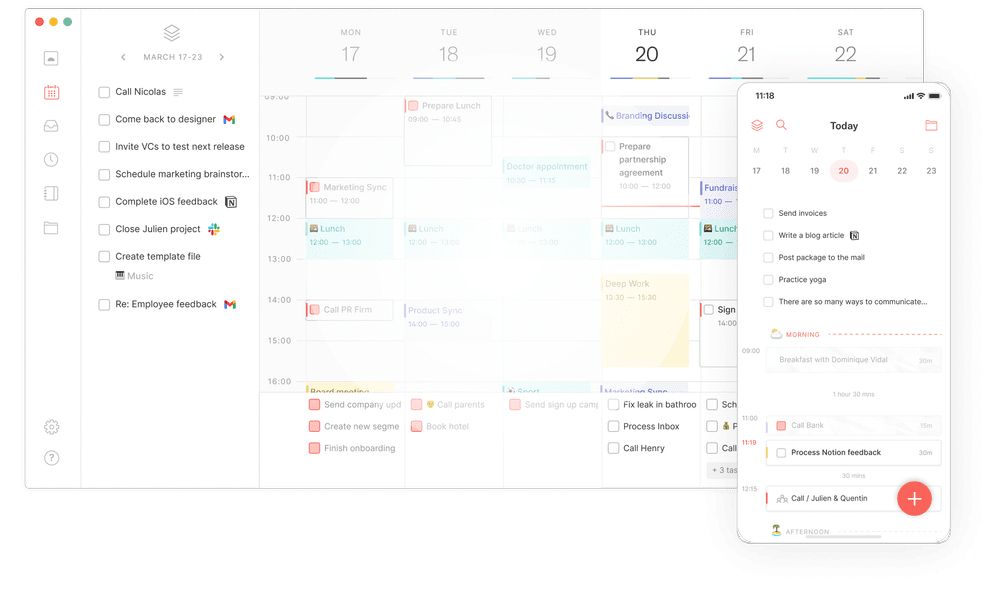
Routine is currently free for all users. Its aim is to provide a place for individuals to centralize their tasks, to-do list and notes to optimize time and craft the perfect day.
✨ Features:
- Console – The console uses natural language-based software. When you type you are given options on where your ideas or thoughts are automatically organized.
- Notes – Write down non-actionable information as a note. This can be literally anything, from movies to watch, or a shopping list.
- Craft Your Perfect Day – See your daily tasks, to-do list and time blocks to get an overview of your day and to keep track of your schedule.
🔥 Rating: GREAT.
4. Akiflow
📲 Availability: Mac, Windows, iOS, Android.
💰 Price: 7-Day Free Trial. $15 Per Month.
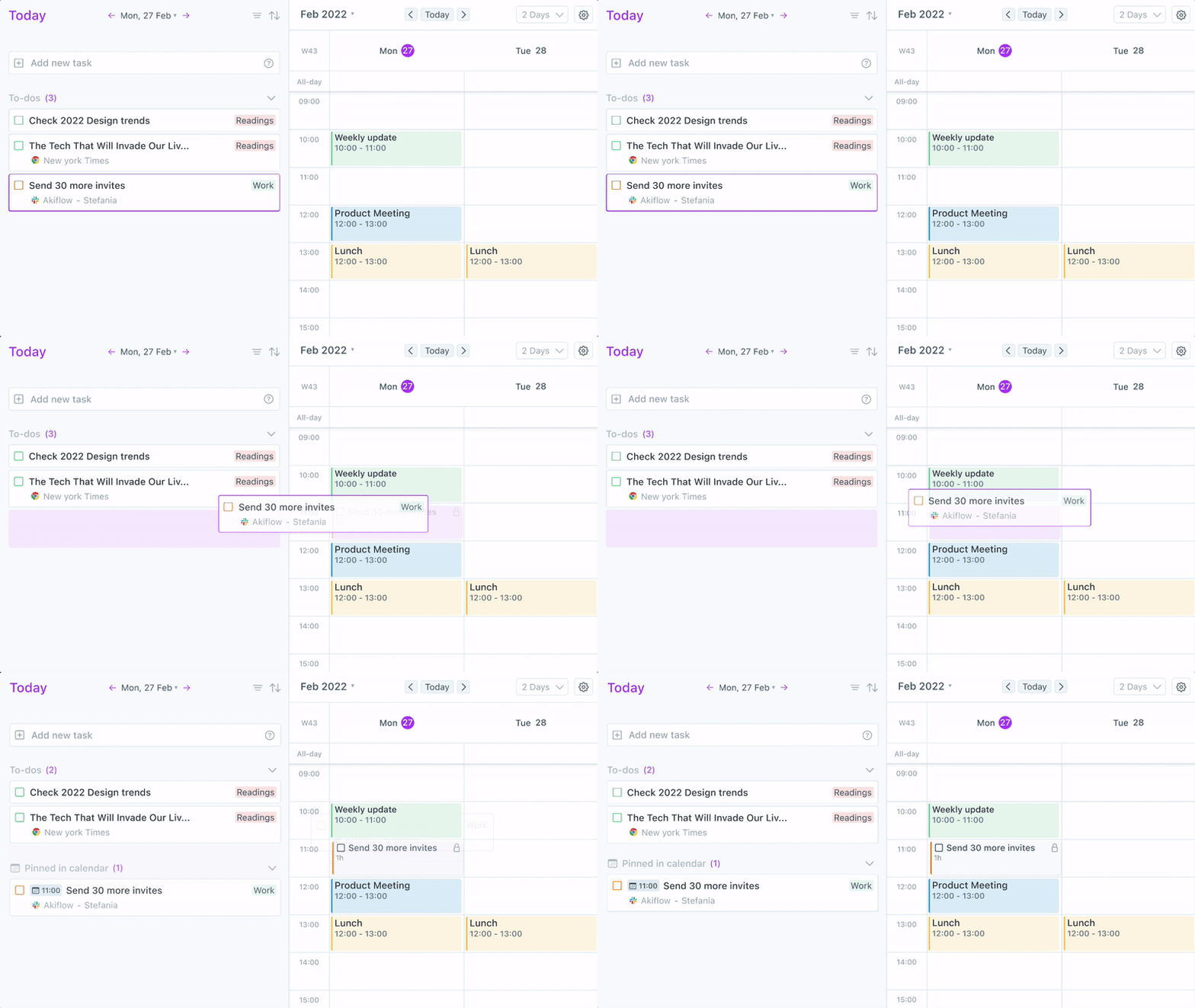
Akiflow consolidates your experience by allowing you to integrate all apps you currently use for planning, tasks etc. It’s a simple app, and you have to do most of the work yourself.
✨ Features:
- Time Blocking – Drag and drop your tasks to fit into your calendar.
- Command Bar – Capture tasks from your mobile or on your desktop. The command bar allows you to quickly add any new tasks or ideas.
- Daily Plan – See an overview of your daily tasks to help stay on track!
🔥 Rating: GOOD.
So, there you have it! Some of the best daily planners to help organize your day.
Let us know which one you like, or if you have any unanswered questions!