
10 Best To-Do List Apps
With hundreds of options, which is the best to-do list application?
Get ready with some of the best to-do list apps! Here on TheZeroed.
House-keeping notes
We have gathered the best 10 to-do list apps perfect for improving productivity and organisation.
We will go through;
- 💰Price – The different price ranges, and whether there’s a free trial!
- ✨ A little about the application – The application’s main focus/purpose.
- 💭 Our opinion – What we think each application is best for.
- ⚡️ A summary of its features – Information about the application’s main features to help promote productivity and organisation.
1. Todoist
💰Price: FREE / Pro – $5 / Business – $8 (price per month)
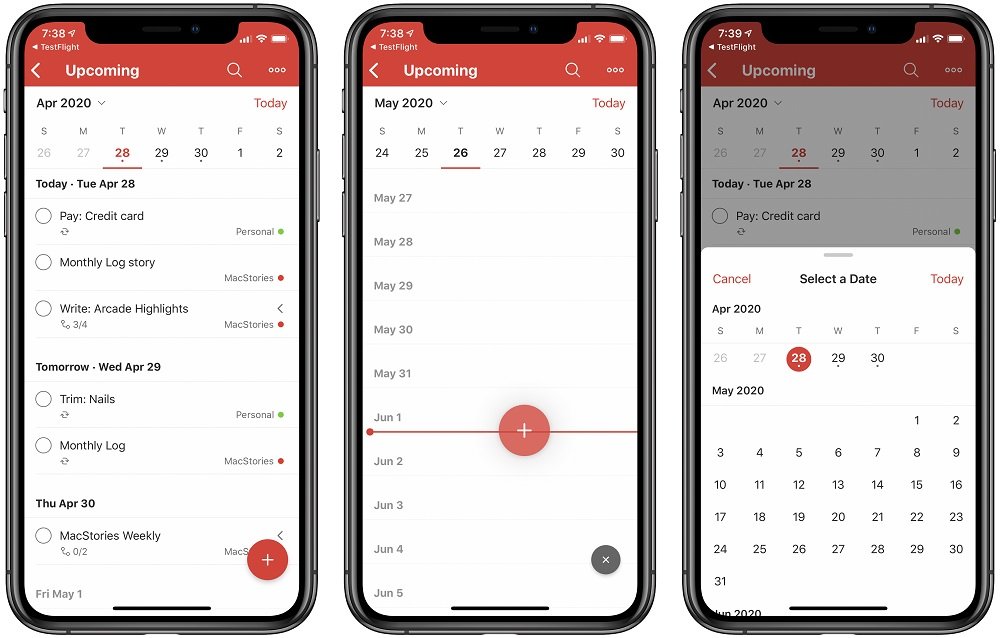
✨Todoist claims to be the world’s number one task manager and to-do list application, with over 300,000 reviews they’re probably right.
💭 We think Todoist is the best all-rounder.
⚡️Todoist is available on any platform, Mac, Android iPhone etc.
You can make Todoist as simple, or as advanced as you want. It uses natural language recognition to automatically fill your to-do list with any recurring tasks, saving time, and making sure you don’t forget! Your tasks are sorted into jobs to do for the day, upcoming tasks, or custom filters you can create.
If your task is super important, give it a priority label! Or if your task is in-depth and has lots of steps, create subtasks to help break it down.
2. OmniFocus
💰Price: Standard – $9.99 (per month) / Pro – $74.99 (upfront)
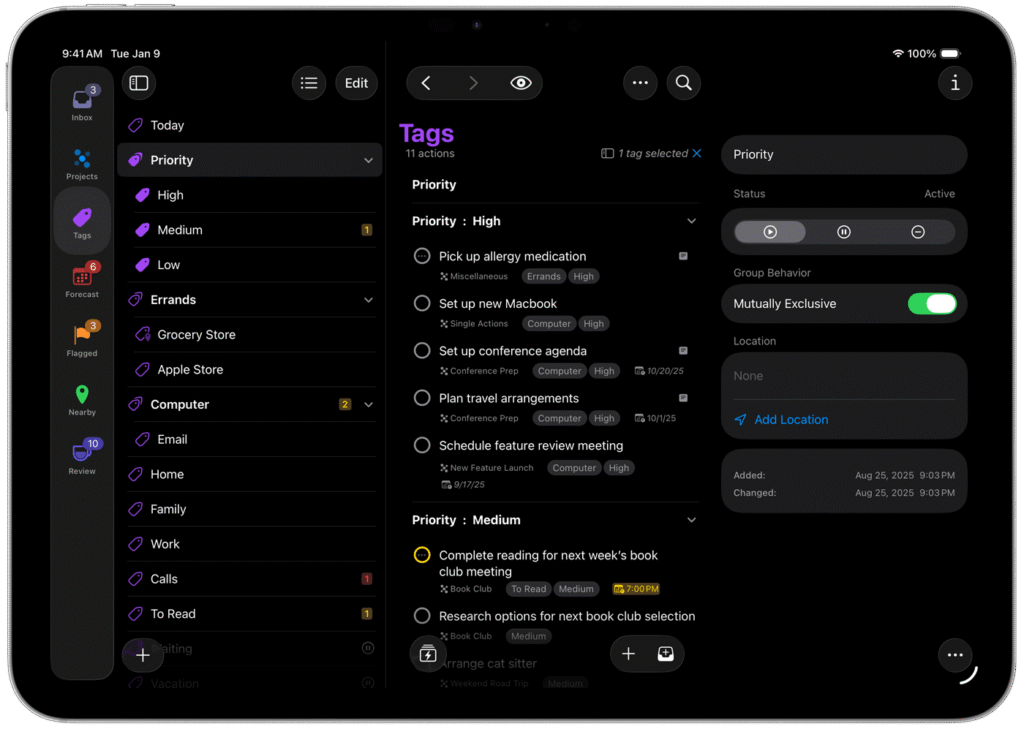
✨ With Omnifocus you can create and organise your projects and tasks using labels, categories and tags.
💭 Omnifocus is a perfect GTD’ers option.
⚡️Omnifocus is available on all iOS devices. You can add tasks on the go wherever you are because all devices will sync together, and even upload voice notes with Siri! Batch edit tasks that are similar, change the due dates and set tags for different properties. The Review perspective helps you see all your tasks, remember what needs to be done, and stay on top of the organisation!
3. Sunsama
💰 Price: 14-Day Free Trial / $20 (price per month)
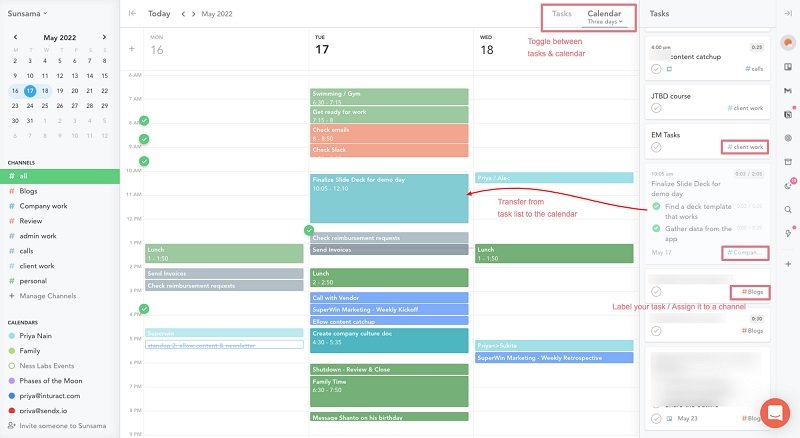
✨ “The daily planner for busy professionals.” You can organise everything with Sunsama, including tasks, meetings emails and more!
💭 A great extensive daily planner app.
⚡️ Sunsama is available on all devices, desktop and mobile.
You can plan and track your day using the daily kanban. You can also select the tasks you want to focus on, and push less important tasks back. Import tasks from other to-do list applications or calendars to have everything in one place. Organise your work into channels, you can pick a channel to see the specific tasks inside and track the progress.
Sunsama was number 1 in our hybrid productivity apps article.
4. Things3
💰 Price: 15 Day Free Trial on Mac then $49.99 / iPhone and Watch – $9.99 / iPad – $19.99 (upfront cost)
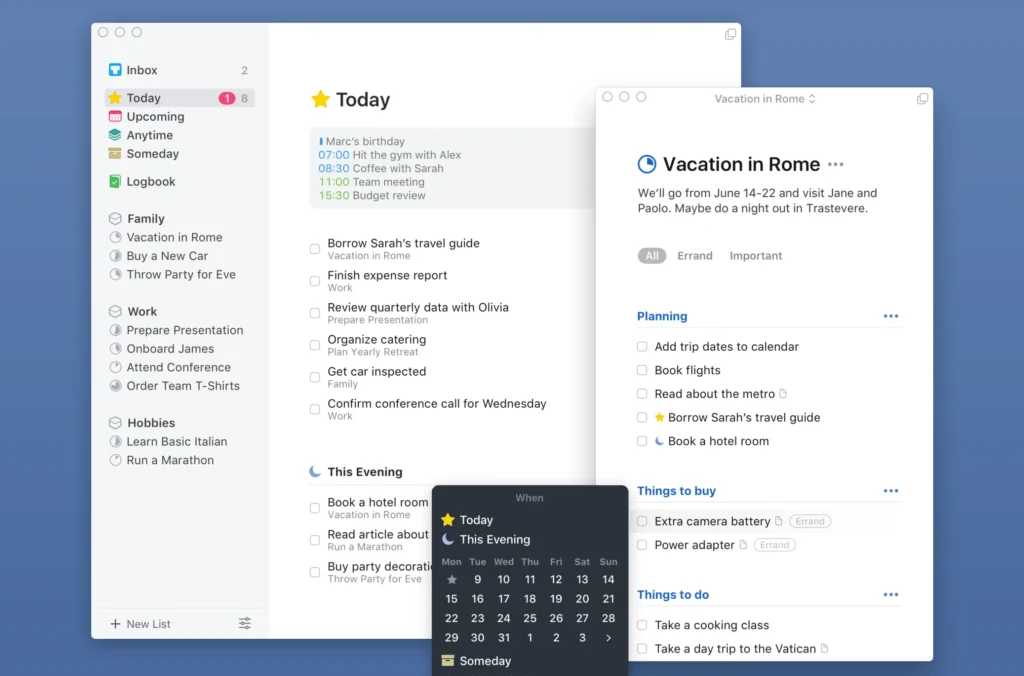
✨ Things3 is a personal task manager, it helps you achieve your goals with its easy-to-use interface and task organisation tools.
💭 We think Things3 is the most beautiful to-do app.
⚡️ Things3 is available on Mac and iOS devices. Things3 is a very aesthetically pleasing app, and very easy to use. You can merge your calendar events with Things3, so every task or event is in one place. You can set to-dos for the evening, or upcoming dates. Organise your tasks using tags, headers, and icons. Create checklists to help break down tasks to make them more achievable.
5. Any.do
💰 Price: Free / Premium – 6 months $4.49 (billed every 6 months) / 12 months $2.99 (billed annually) / 1 month $5.99 (billed monthly)
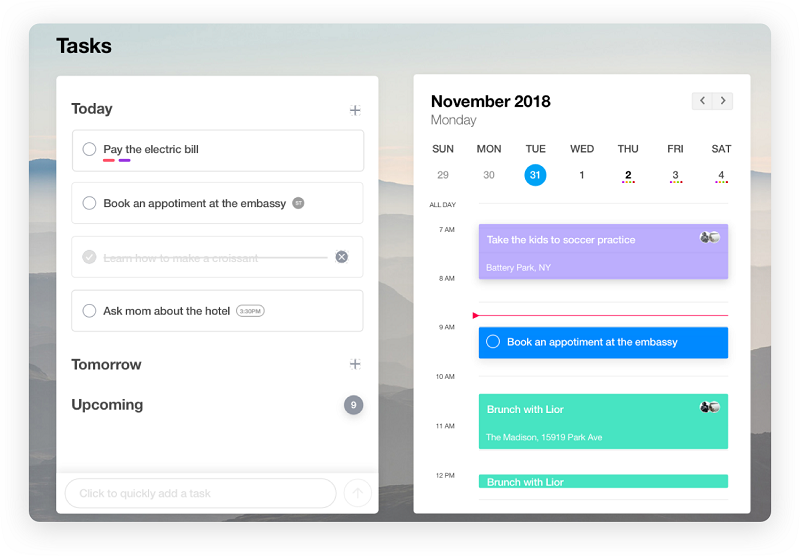
✨ Any.do has tons of features to help you organise your tasks across all devices, so you can always stay on track!
💭 Any.do is a great all-rounder and easy to understand.
⚡️ Any.do is available on all devices. You can organise your to-dos as tasks and projects, collaborate with teams, and assign tasks. Use categories, subtasks, notes and attachments to increase organisation and productivity further. Add due dates to tasks, set reminders, and even set tasks to repeat.
6. TickTick
💰 Price: Free / Premium $27.99 (annually)
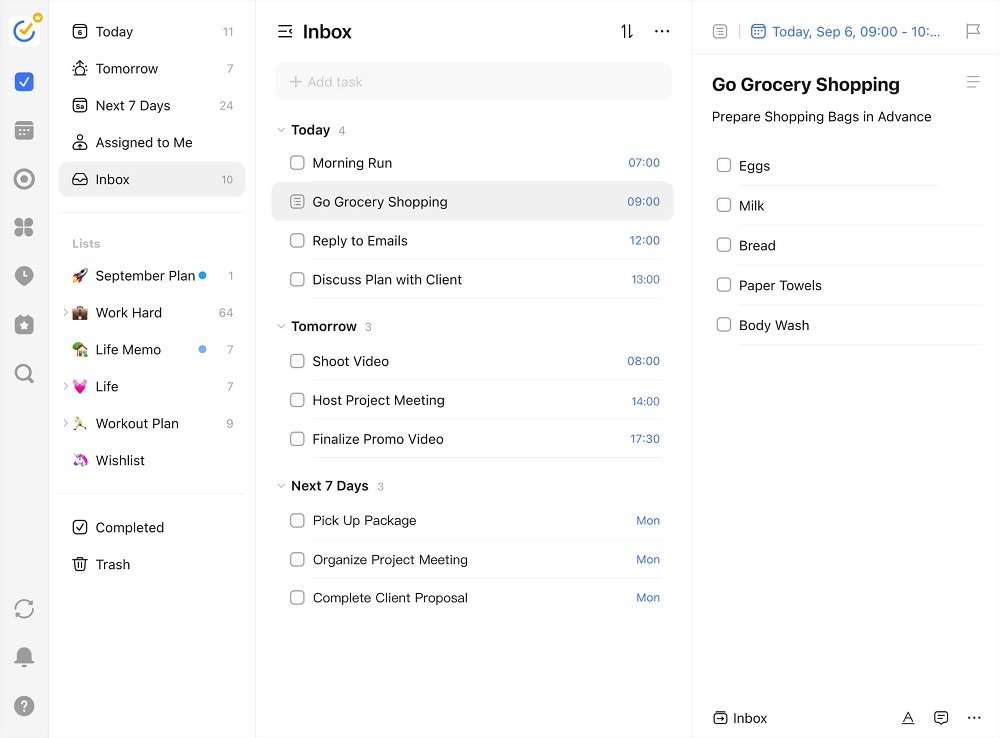
✨ TickTick has a simple interface, making it easy to use and understand. You can easily organise your personal life and work life using its handy features.
💭 TickTick is a very practical and possibly the best value to-do app.
⚡️Available on all devices. Quickly add tasks with voice input, and turn emails into tasks to never forget to follow up or reply again! Use the home screen widget to stay on top of your to-do list. Create “Annoying Alerts” to make sure you never miss a task. Organise your to-dos in folders, with tags, and more.
7. ClickUp Task
💰Price: Free / Unlimited $9 / Business $19 / Business Plus $29 (per month)
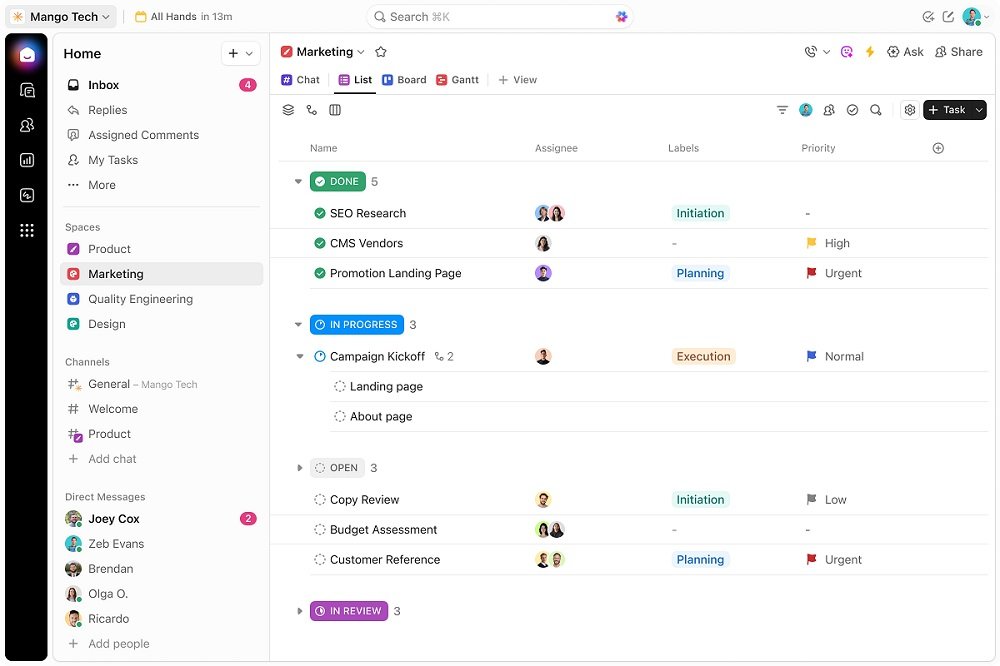
✨ ClickUp Solo mode is for those using this app for personal use, meaning there’s no team involved. A lot of features are the same, just simpler for one person.
💭 ClickUp is flexible for growing users’ needs.
⚡️ClickUp is available on any device. Use the handy notepad to jot down any sudden thoughts and ideas, you can go back to the notepad to turn your ideas into tasks. Set priority levels for different to-dos. Create a custom personalised workflow for tasks that require multiple stages, or lots of individual tasks. Use checklists to stay on track with each milestone for completing a certain task.
8. Microsoft To-Do
💰Price: FREE!
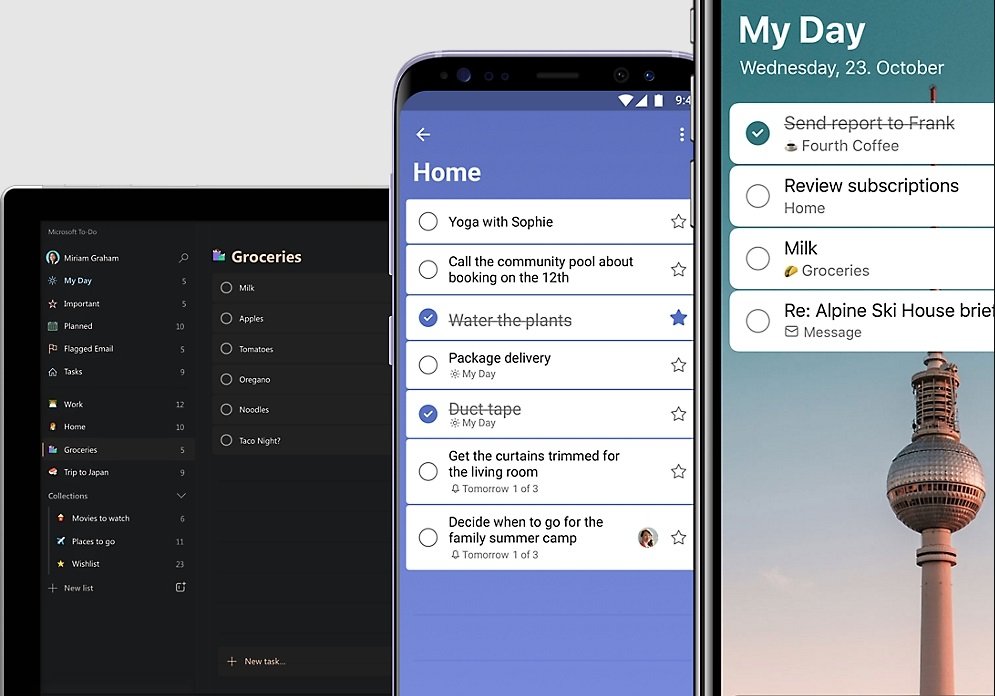
✨ Microsoft To-Do is a simple to-do list application that helps you stay focused on tasks and improve daily productivity.
💭 Microsoft To-Do is the best free to-do list app.
⚡️Available on all devices and on the web! You can always access your to-do list. Update your daily and weekly planner by using personalised suggestions, you can also add due dates and set reminders to never miss a thing. Share your online to-do list with your friends, family and colleagues. Break tasks down into steps to make them easier to achieve.
9. Google Tasks
💰Price: Free for Google workspace users.
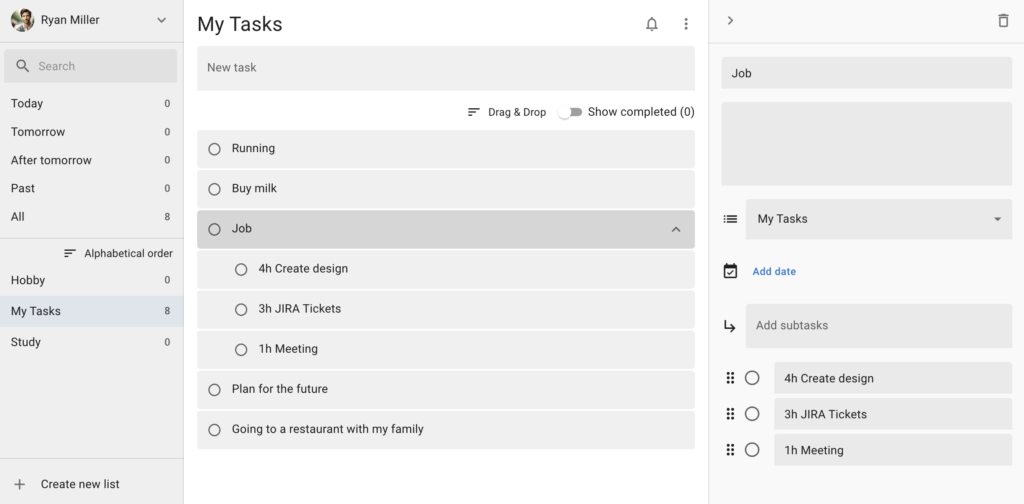
✨Google Tasks is integrated with Google Calendar and Gmail. This means you can create tasks from emails and events! Google tasks are simple to use and very helpful for those already in the Google workspace.
💭 Google Tasks is best for Google ecosystem users.
⚡️Available on Android and iOS devices, you can also access Google Tasks directly through Gmail on the desktop since it’s already part of the workspace. Quickly add, edit and manage your tasks. Set due date notifications to never miss a thing, and even break your tasks down using subtasks.
10. Sorted3
💰Price: Free / Premium iOS $14.99 / Premium MacOS $24.99
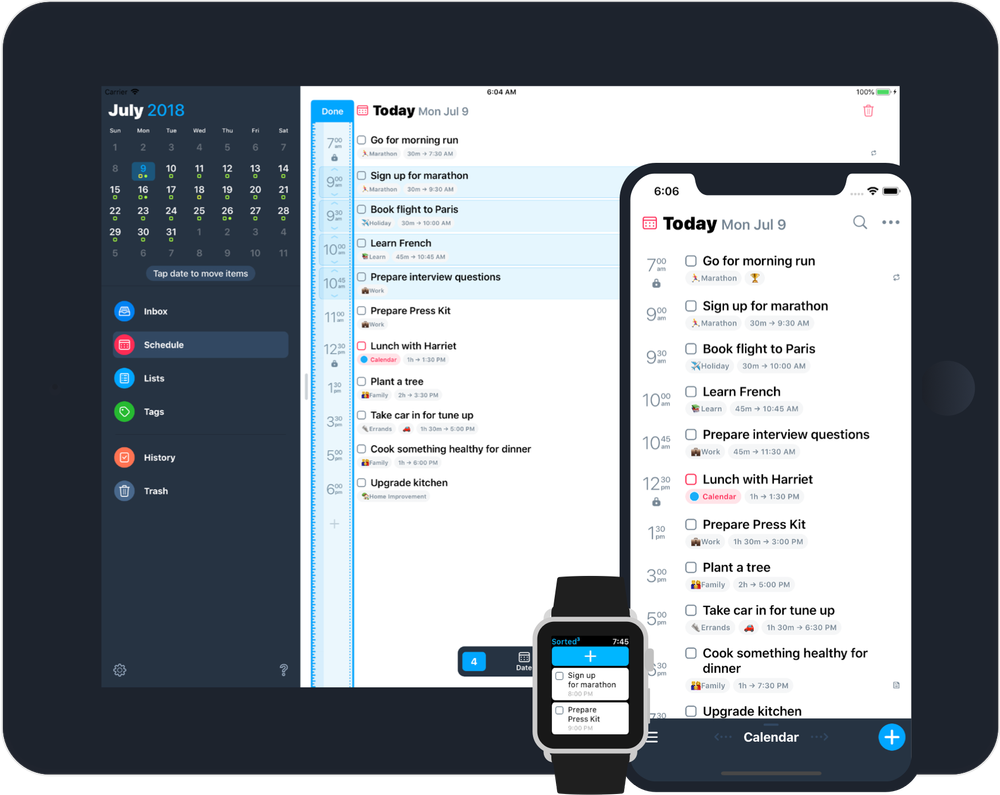
✨Sorted3 uses hyper-scheduling to optimise your daily planning to the max. You can create, adjust and see your schedule from start to finish, across all devices.
💭 Sorted3 is perfect as a cheaper, time-orientated Things 3 alternative.
⚡️Available on iOS, Mac and Windows. Create a timeline of tasks using the hyper-scheduling solution. This allows you to narrow your focus by creating your to-do list in order of time. You have lots of flexibility to make changes to your list, and you can see how much free time you have left. it’s a great way to see your day in full, rather than a meaningless, endless list of tasks.
There you have it, top to-do list applications, which one will you be using?