
10 Free To-Do List Applications to Try
Have you ever wondered what free to-do list apps are actually available?
Well, wonder no longer, here we have gathered 10 free to-do list applications, ranging from completely free, to free with optional upgrades!
⏰ 10 Free To-Do List Applications to Try
When you pay for applications you tend to pay for a better experience, meaning no adverts and more useful features.
However, we have found some pretty good free apps for you to try, before spending any money.
Below each app, you will see the 📲 Availability, the 💰 Price and their ⚡️ Major features.
1. Microsoft To-Do
📲 Availability: Mac, Windows, iOS, Android.
💰 Pricing: Free! (When you already have a Microsoft account).
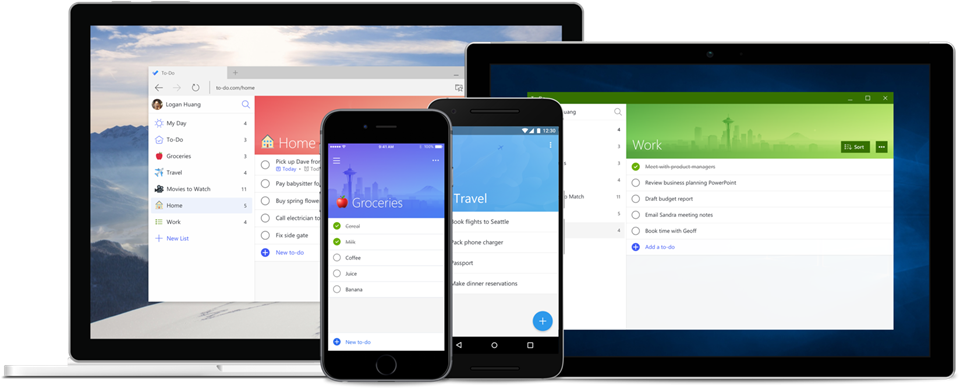
Microsoft to-do is a handy application if you already use Microsoft and Outlook. There aren’t any limitations to what you can do here, and you can connect it to a Microsoft plan or subscription. You can also integrate Outlook.
⚡️ Major Features:
- My Day – Use intelligent suggestions to create a daily and weekly to-do list.
- Cross-Platform – You can access your to-do list on both mobile and desktop.
- Use Steps – Break down your to-do list into achievable steps. Add important details and even set reminders.
2. Google Tasks
📲 Availability: iOS, Android.
💰 Pricing: Free.
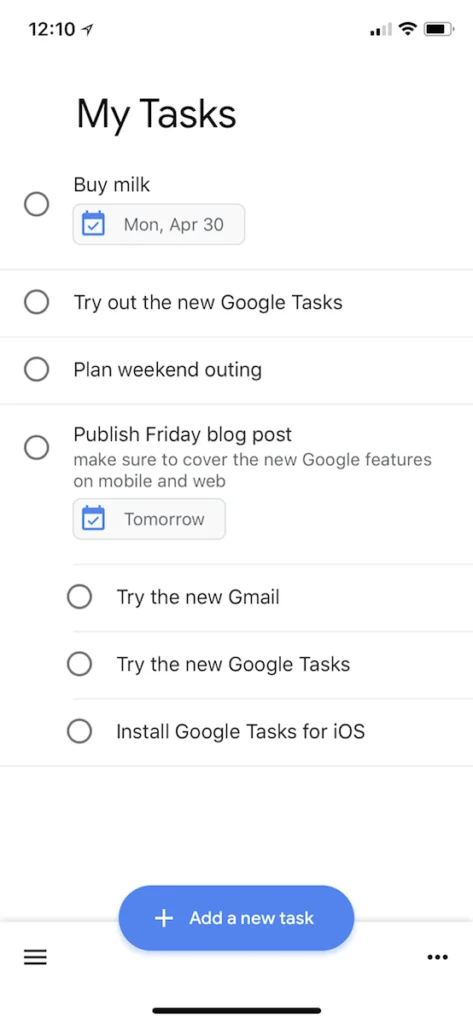
Google Tasks is its own app available on iOS and Android, there is a sort of desktop version but it isn’t as good. There are no upgrades, so no need to worry about adverts! This app is great if you are already within the Google Ecosystem.
⚡️ Major Features:
- Gmail and Calendar – Create tasks via email or through your Google Calendar.
- Drag and Drop – Change the order of priority by dragging important tasks to the top of your list.
- Subtasks – Break down each task and add as much detail as you want.
- Notifications – Set due dates and get reminders through the app.
3. Apple Reminders
📲 Availability: iOS.
💰 Pricing: Free
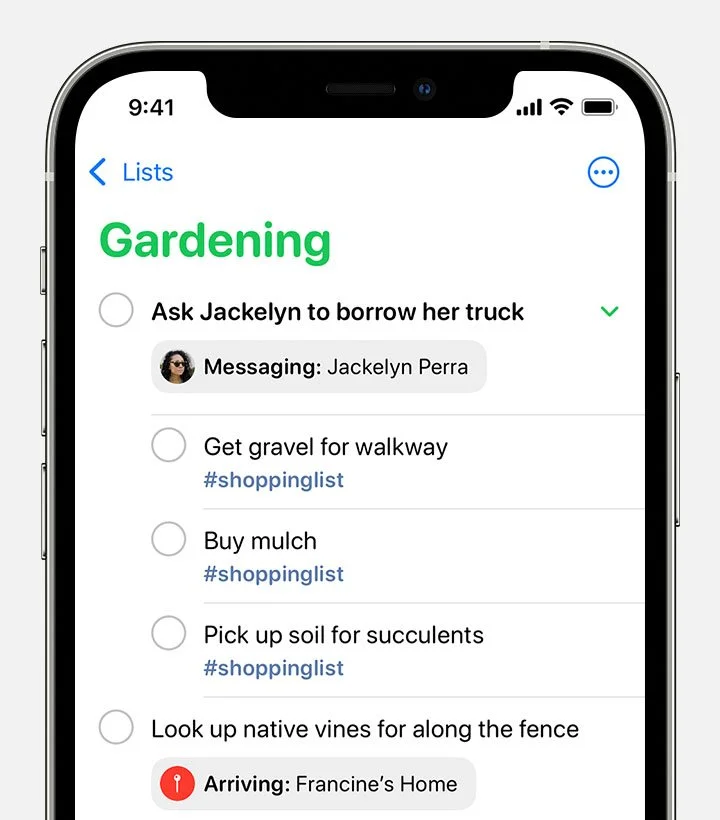
Apple Reminders is a pre-built application on all iOS devices. You can delete this app if you wanted to. It provides a functional way to create a to-do list with due dates.
⚡️ Major Features:
- Due Dates – Set due dates for an upcoming task or event using Reminders.
- Add Location – Be notified when arriving or leaving a location.
- Add Tags – Add tags to all your reminders to make them easier to search for and organise.
- Attachments – Include photos in your to-do list!
4. Do!
📲 Availability: iOS, Android.
💰 Pricing: Free
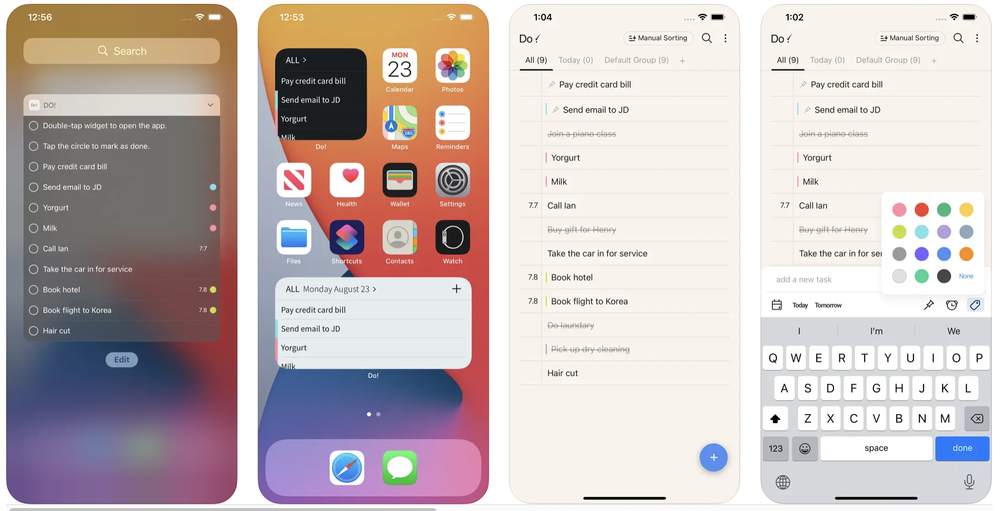
Do! is a simple reminders-based to-do list application. It does have ads, but you can pay to remove them. This app is easy to use, and great for managing reminders and keeping track of to-dos.
⚡️ Major Features:
- Realistic Effects – Has a realistic ball pen-to-paper sound when you double-tap a task.
- Easy to use – A very simple app, anyone can use it! Double-tap to mark as done.
- Important – Pin a task to the top of your list to mark it as important.
- Sorting – Use colour coding and groups.
5. Google Keep
📲 Availability: Web, iOS, Android.
💰 Pricing: Free
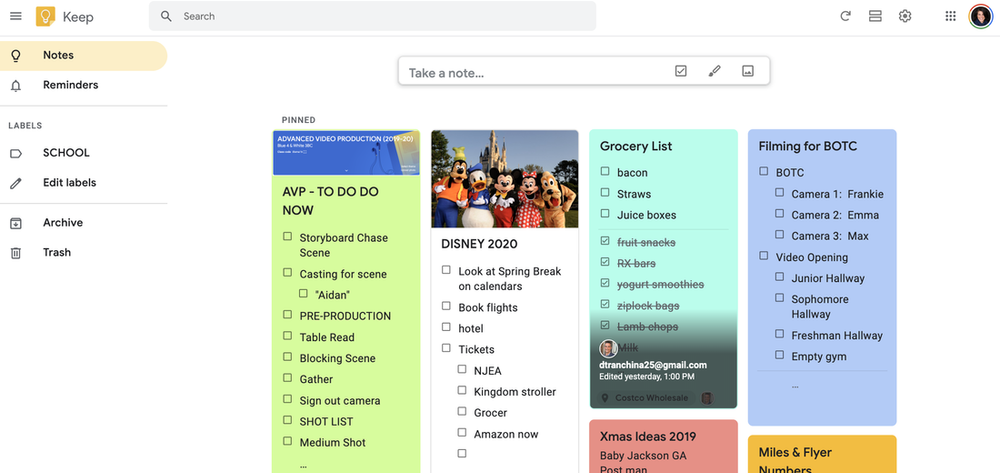
Google Keep is an entirely free note-taking experience. It’s a great way to make basic checklists in a post-it note-like fashion. Google Keep will also sync across your mobile, tablet and computer.
⚡️ Major Features:
- Range of media – Save notes, lists, photos and audio.
- Customisable – Use different colours and fonts for different lists.
- Location and Time Reminders – Set a location-based reminder for a task to show up at the desired location. Or a time-based reminder to help you stay on track!
- Filters – Search for lists by their colour or other attributes.
💰 Free Applications WITH Paid Upgrades 💰
The following apps are free to download, however, their paid versions offer more useful features.
6. TickTick
📲 Availability: Mac, Windows, iOS, Android.
💰 Pricing: Free or $27.99 annually.
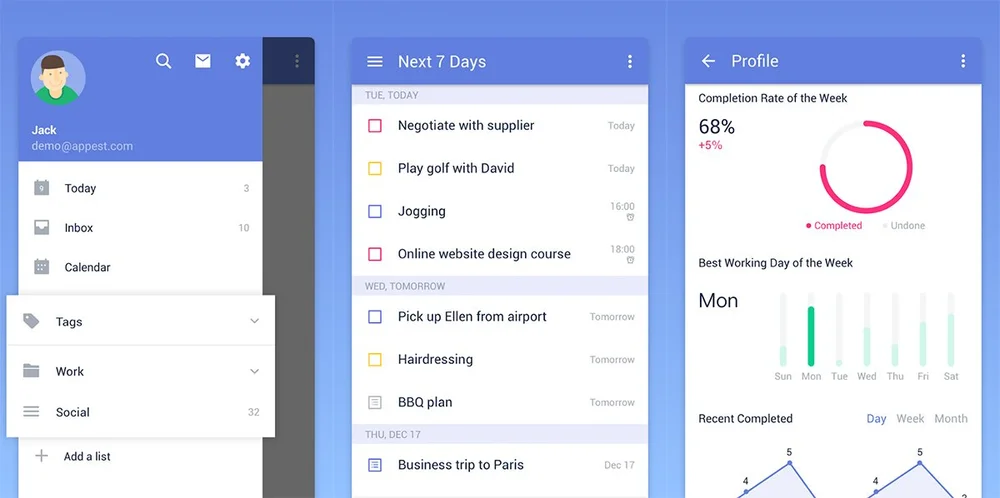
TickTick’s free version does have limitations, however, you could probably use the free version until you need to make more than 9 lists, with 99 tasks per list…
⚡️ Major Features:
- Voice Input – Create tasks by using voice input on your mobile.
- Recurring Tasks – Set a task to repeat for certain days, times or months.
- Multi-Priority – Sort to-do’s into four levels of priority.
- Pomo Timer – Use the Pomodoro technique to help focus on a task.
7. Zenkit To-Do
📲 Availability: Web, iOS, Android.
💰 Pricing: Free, $4 or $9 per month.
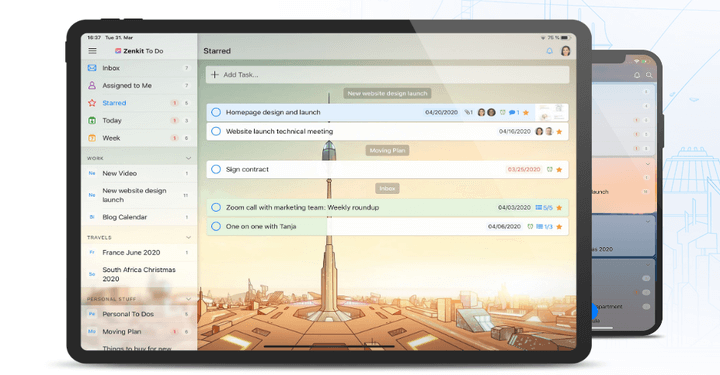
ZenKit has a free personal plan that allows you to have up to 100 lists, with 10,000 tasks and add up to 8 people. Which is pretty good. Of course, you receive more features when you use a paid subscription.
⚡️ Major Features:
- Smart Lists – Use different filters like; Starred, Today, Assigned to Me and This Week to help organise tasks.
- Collaboration – Share your lists with others, and add team members.
- Comments – Members can add useful comments to tasks and lists.
- Files – Attach files and documents to tasks.
8. Any.DO
📲 Availability: Mac, Windows, iOS, Android.
💰 Pricing: Free or payment plans from $2.99, $4.49 and $5.99.
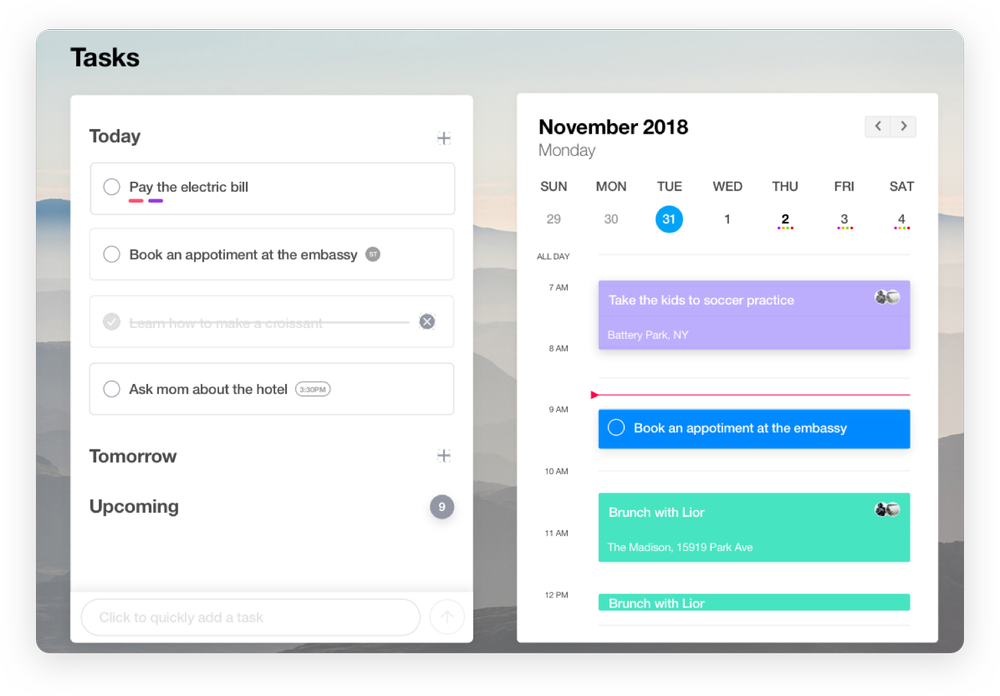
With the Any-Do free plan, there are no limitations on how many lists and tasks you can add, however, you won’t be able to receive some ‘premium’ features you might expect.
⚡️ Major Features:
- Organise – Sort your tasks by using colours, priorities and categories.
- Reminders – Set due dates and reminders to help stay on track!
- Collaborate – Invite people to collaborate on tasks, and share tasks with others.
- Sync – All devices will sync together!
9. Todoist
📲 Availability: Mac, Windows, iOS, Android
💰 Pricing: Free, $5 or $8 per month.
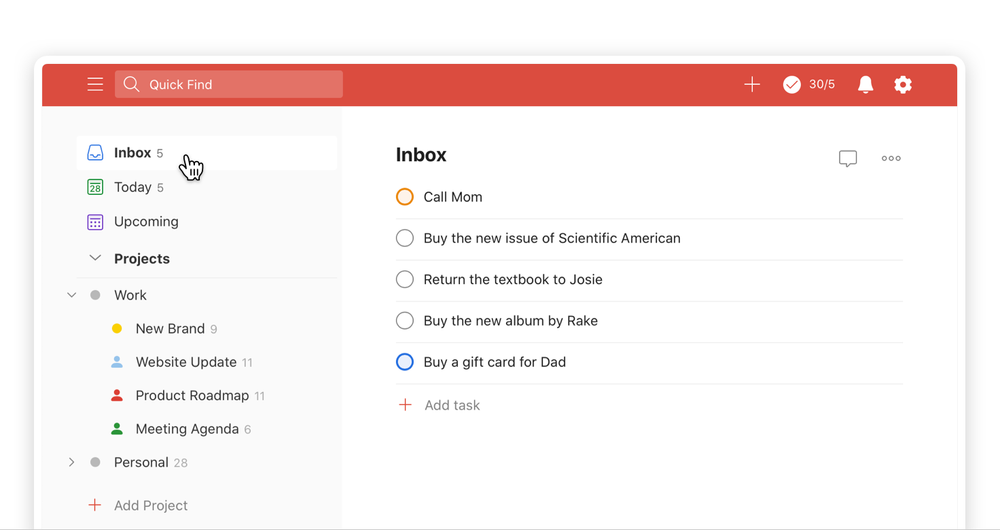
Todoist is a fantastic all-rounder. Their free plan is also very generous, you only really need to upgrade to access specific features like reminders, and to gain more storage.
⚡️ Major Features:
- Quick Add – Quickly add and organise new tasks within seconds.
- Priority – Use priority levels to organise important to-do’s.
- Share – Create shared projects and delegate tasks.
- Boards – See the bigger picture with Kanban boards.
10. ClickUp
📲 Availability: Mac, Windows, iOS, Android
💰 Pricing: Free, $5, $12 or $19 per month.
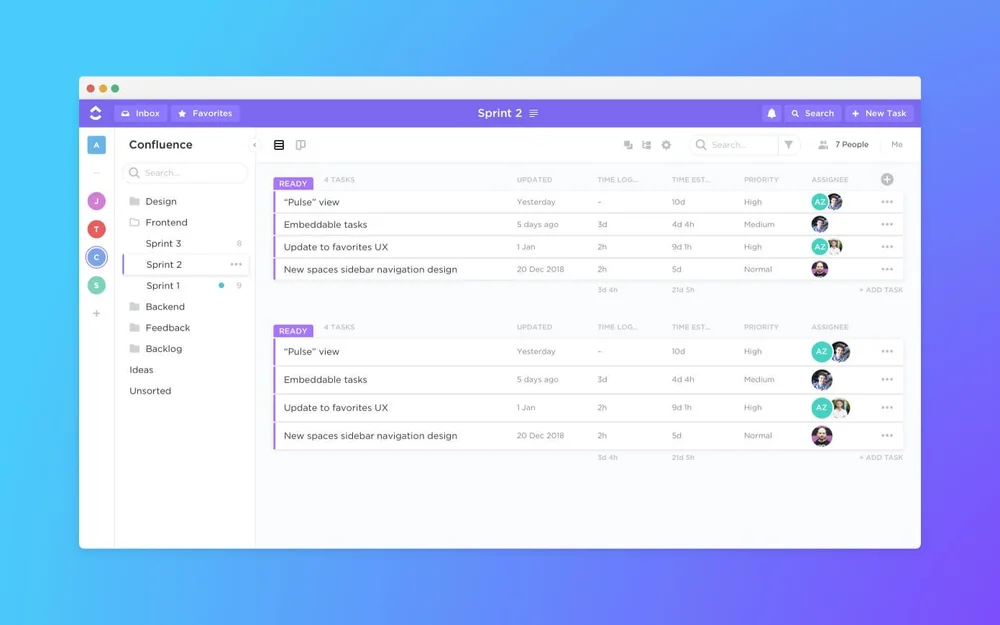
ClickUp offers a really good free plan for your personal to-do lists. It’s also a great all-rounder that offers more than just to-do lists. You can also add an unlimited amount of users and guests for tasks involving multiple people.
⚡️ Major Features:
- Organise – Use item types to organise your lists and tasks.
- Recurring Tasks – Save time by setting a filter for recurring tasks for each week, month etc.
- Different Views – Use list views, board views and calendar views to see your tasks.
- Subtasks – Create subtasks to help achieve the main goal.
We hope you enjoyed this article! Please let us know if you have tried, or downloaded any of these free to do list apps and tell us what you think.