
Top 10 Project Management Apps
Having an app specifically designed to help with project management is sure to boost your productivity, time management and success.
The Top 10 Project Management Apps!
Below are the best apps you can find to support project management. We have reviewed them based on the following factors:
- 📲 Availability – Where you can download the app.
- 💰 Price – How much the app costs per month.
- ✨ Key Features – What features make each app different so you can truly discover the best app for you.
1. Monday
📲 Availability: Mac, Windows, iOS and Android.
💰 Price: Free, £21, £29 or £42 per month.
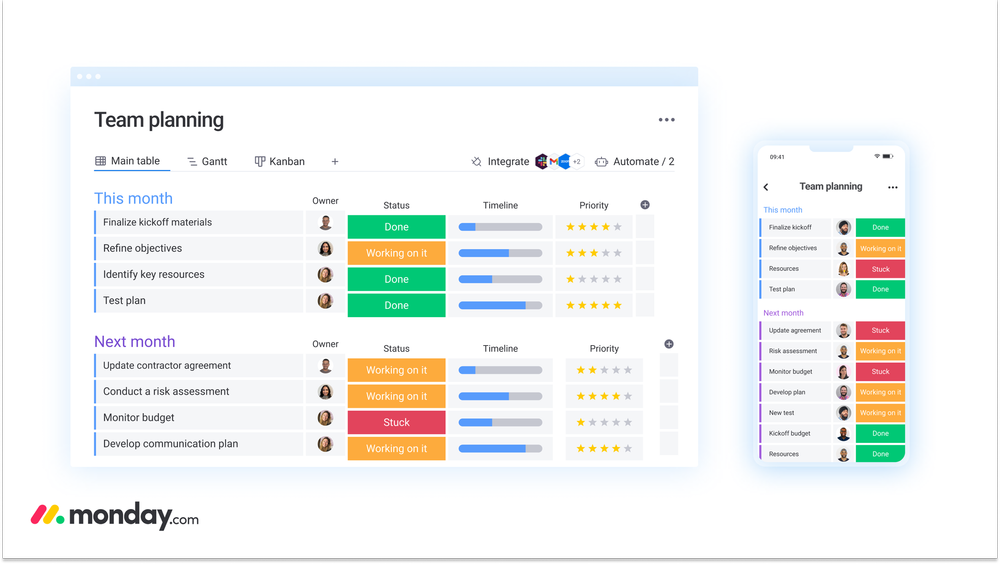
Monday has been on the market for a while, and the team are always updated and improving their software. You get a range of views that are best known for their simplicity. Anyone can get started and learn as they go.
✨ Key Features:
- Dashboard – See a real-time bird’s eye view of everything happening within your teams.
- Automations – Create powerful automations to quickly start tasks and organise your team.
- Gantt Charts – Use a range of charts and views to help plan, execute and track your team’s projects.
- Integrate Existing Tools – Add tools you already use to improve your workspace, for example, integrate emails and Trello.
2. Asana
📲 Availability: Mac, Windows, iOS, Android.
💰 Price: Free, £9.49 or £20.99 per month.
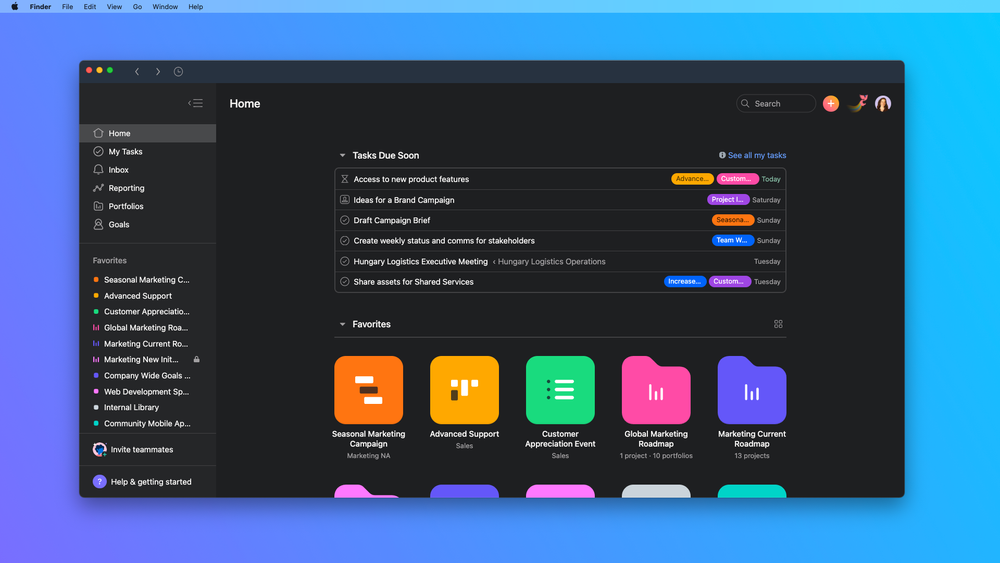
Asana was created by Dustin Moskovitz, the co-founder of Facebook. The app uses boards and timelines but doesn’t have as many views as other apps.
However, it makes up for this due to the number of integration opportunities it has and you can sync Asana to all devices.
✨ Key Features:
- Workflow Builder – Connect everyone in the team, seamlessly create processes and make your work more efficient!
- Goals – Set company goals and the requirements to achieve them in one place.
- Forms – Submit and manage form requests in one place to ensure the team are working well.
- Timeline – A timeline is created to help schedule and manage projects for you and your team.
3. ClickUp
📲 Availability: Mac, Windows, iOS, Android.
💰 Price: Free or $9, $19 or $29 per month.
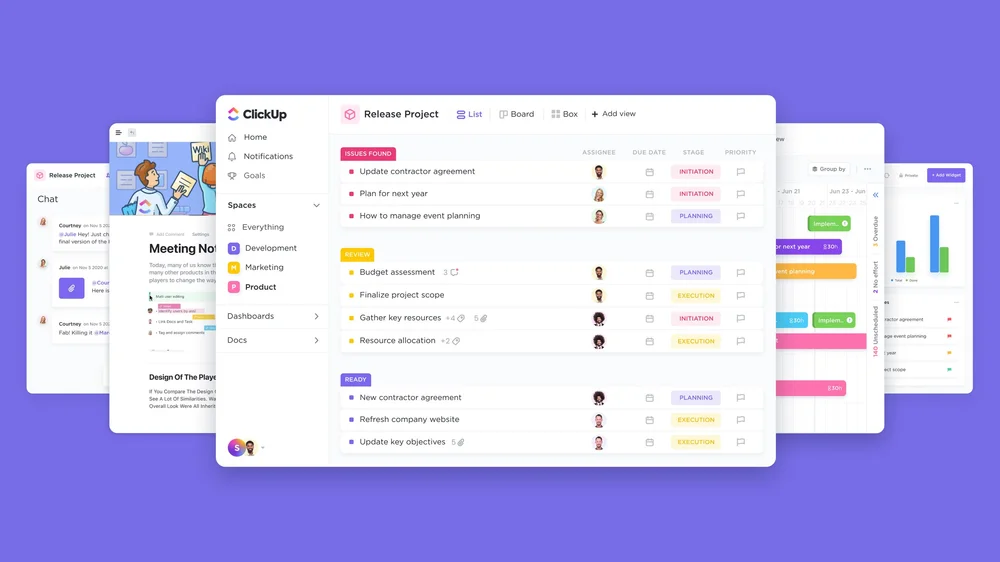
ClickUp is a relatively new app but it’s very popular with project management. It has a wide variety of views and tons of features. You can use this app for yourself, or for your team.
✨ Key Features:
- Docs – Create and collaborate with documents. A great way to share ideas and increase productivity.
- Whiteboard – A collaboration tool to turn ideas into actions in one place.
- Hierarchy – See the big picture and each step it takes to achieve the main goal.
4. Trello
📲 Availability: Mac, Windows, iOS, Android.
💰 Price: Free, $5, $10 or $17.50 per month.
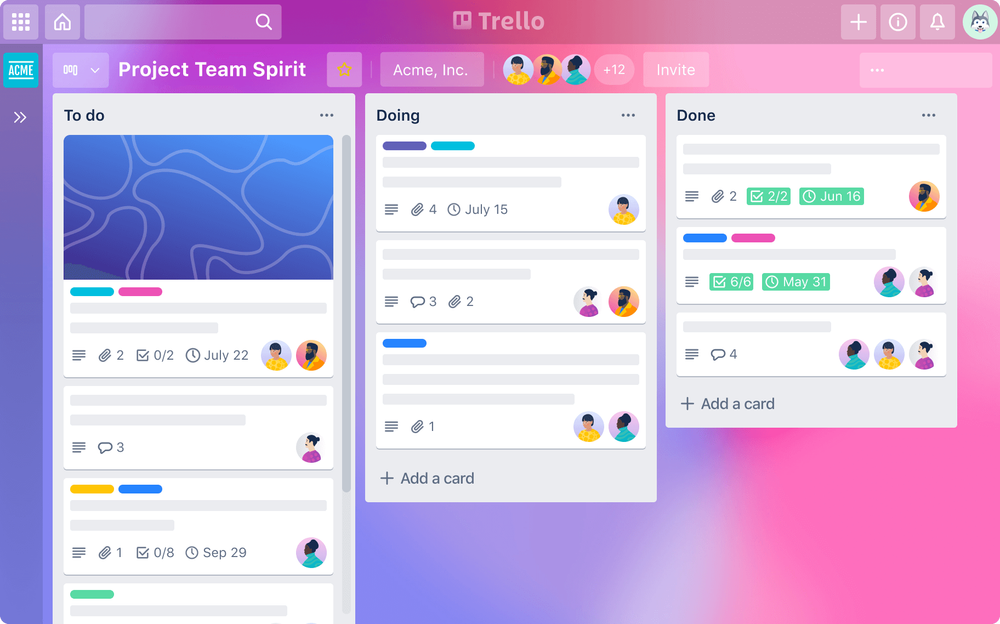
A very well know app for its simplicity, boards and minimal views and features. If you don’t want an app that’s too overwhelming, Trello is a great place to start.
✨ Key Features:
- Power-ups – Take a look at the power-ups library and choose an add-on for your boards. Like little apps that will work automatically inside your workflow.
- Butler – Create automations inside your boards and workflow. For example, you can choose “move to done” or “set due date”.
- Minimal views – You get the main key views with Trello; Boards, Timeline, Calendar.
5. Notion
📲 Availability: Mac, Windows, Web, iOS, Android.
💰 Price: Free, $4 or $8 per month.
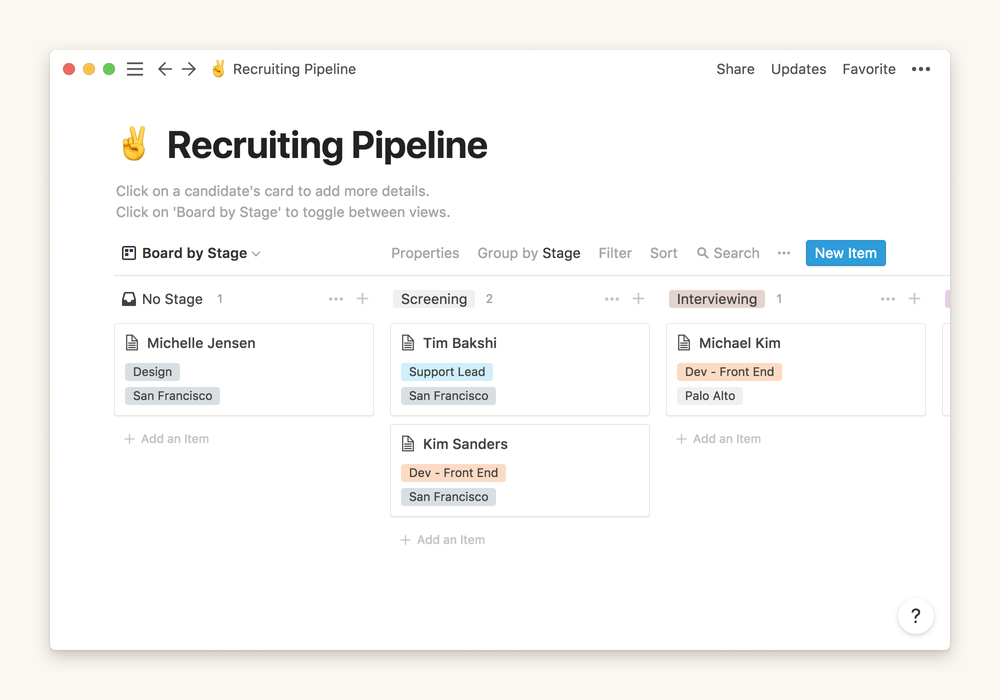
Notion is growing in popularity and is used by teams running all kinds of projects. Notion is completely customisable and you can really make your workspace however you want. Notion does take some time to get used to, however, they have an online course, and templates to help get you started.
✨ Key Features:
- Templates – Download templates to help kick start your project management. You are sure to find a template for exactly what you need.
- Integrate Apps – Integrate other apps you use for project management with Notion, so all apps link together in one place.
6. Wrike
📲 Availability: Mac, Windows, iOS, Android.
💰 Price: Free, $9.80 or $24.80
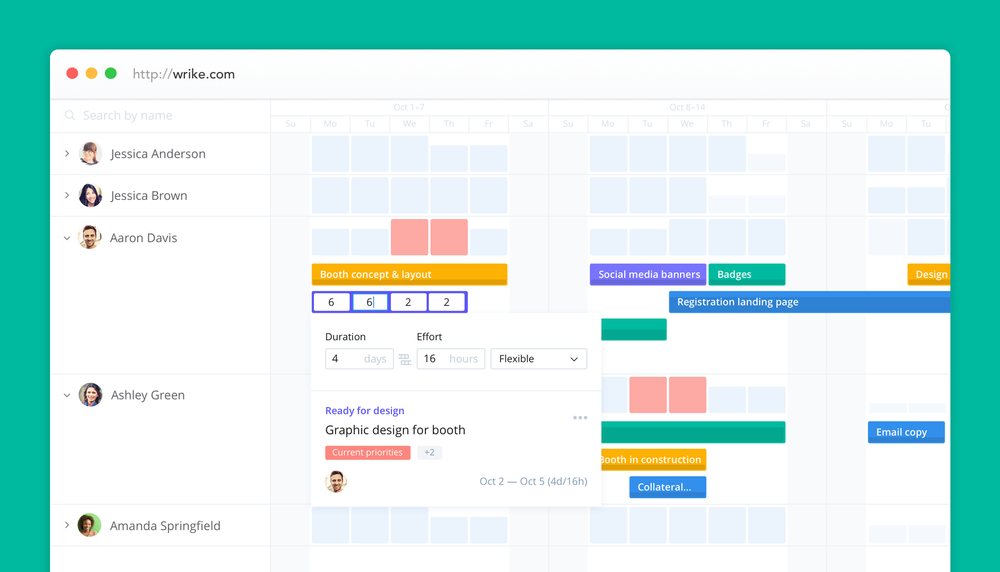
Wrike is popular with marketing, sales and management teams. With tons of features available to help organise team resources, Wrike is easy to use and navigate. Its interface is very much like Teamwork and Hive.
✨ Key Features:
- Work Intelligence – Uses smart automation and project risk prediction to help see into the future, and ensure your team is on track.
- Communication tools – Use voice commands, smart replies and document processing.
- Invoicing Software – No longer feel stressed about billing. Use Wrike’s easy-to-use billing software.
- 360 Visibility – Customise your dashboard and share it with stakeholders.
7. Teamwork
📲 Availability: Mac, Windows, iOS, Android.
💰 Price: Free, £10 or £18.
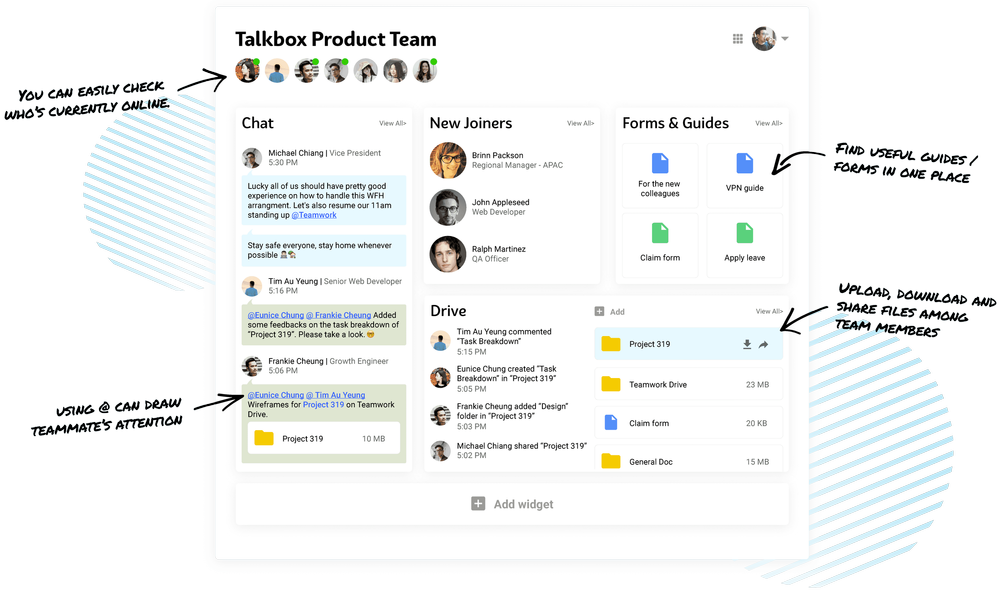
Teamwork is a recent app, developed in Ireland with the main focus being on agencies. It has a traditional setup and all the usual things you need. It does have a billable and minutes experience to help communicate expenses with clients.
✨ Key Features:
- Insights – See how your team is working, who can take on more work, and who may need some help.
- Project Health Status – See how your project is progressing, and what’s left to do.
- Customisable – Create a workflow that works for you and your team by customising your dashboard and views.
8. Basecamp
📲 Availability: Mac, Windows, iOS, Android.
💰 Price: 30-Day Free Trial or $99 per month.
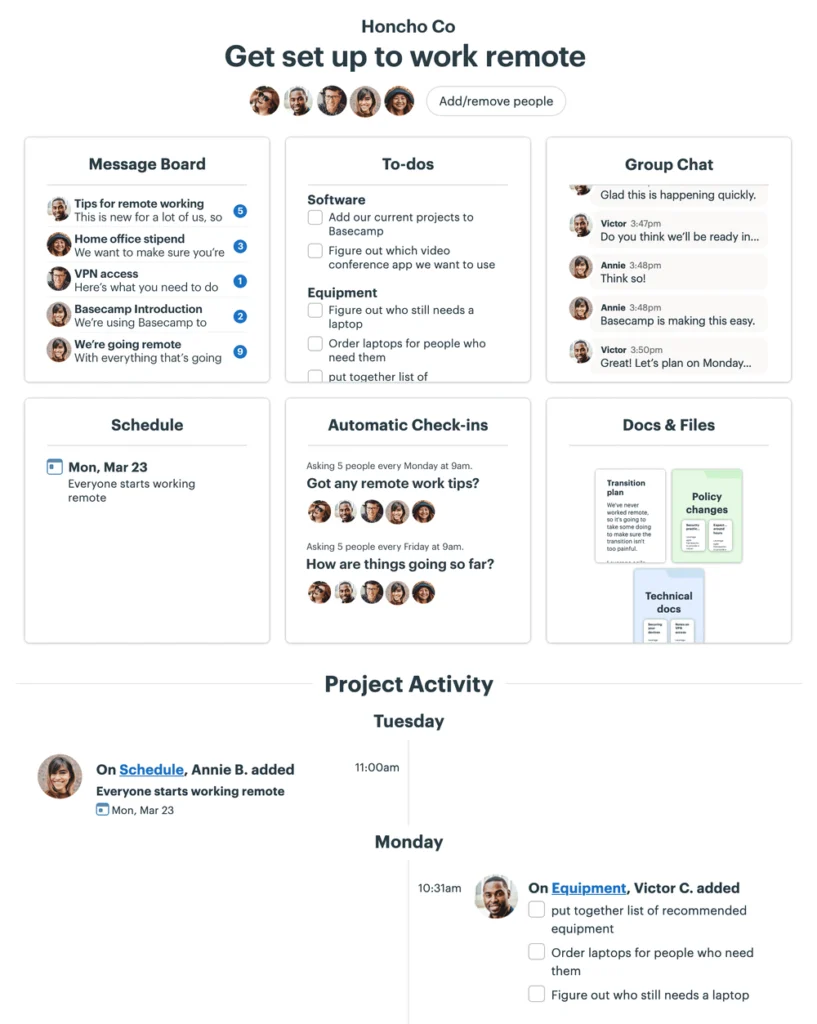
Basecamp provides a reliable experience for those wanting to manage their team with a remote experience, and with plenty of tools and features. Basecamp is a flat rate of $99 per month after the free trial, which is expensive, however, there’s no limit on the number of projects, and users and no fee per user.
✨ Key Features:
- Company HQ – A team space for announcements, documents, communication and more!
- Hill Charts – A chart that specifically shows how your project is progressing in detail. Hill charts work alongside your to-do list.
- Questions – No need for tons of meetings. Simply ask specific team members questions and they can reply in a chat-like form.
- Snooze – Ensure you have that work-life balance by snoozing anything that’s distracting you or disturbing your personal time.
9. Hive
📲 Availability: Mac, Windows, iOS, Android.
💰 Price: Free or $12 per month.
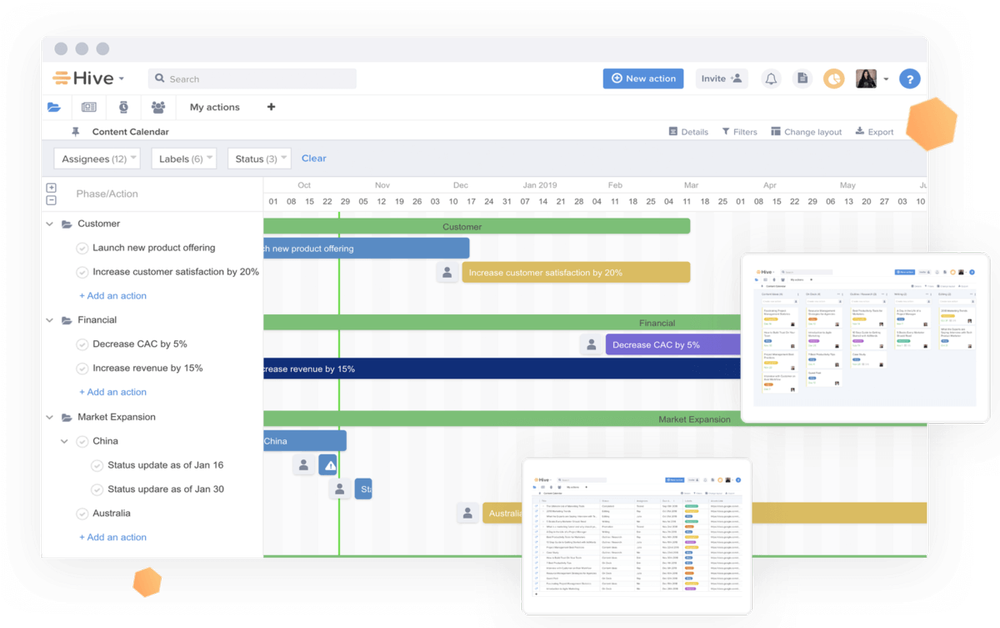
Hive is great for its ability to chat in real-time with your team, it’s also very well known for its timesheets and team resource management tools and features.
✨ Key Features:
- Flexible Project Layouts – Toggle between different views quickly, and see real-time updates from your team.
- Personal To-Do List – Your own space to see specific tasks assigned to you so you can keep track, and plan your time efficiently.
- Hive Analytics – Get updates on your project or business by seeing individual or team-wide statistics.
10. Paymo
📲 Availability: Mac, Windows, iOS, Android.
💰 Price: Free, $5.95, $11.95 or $24.95.
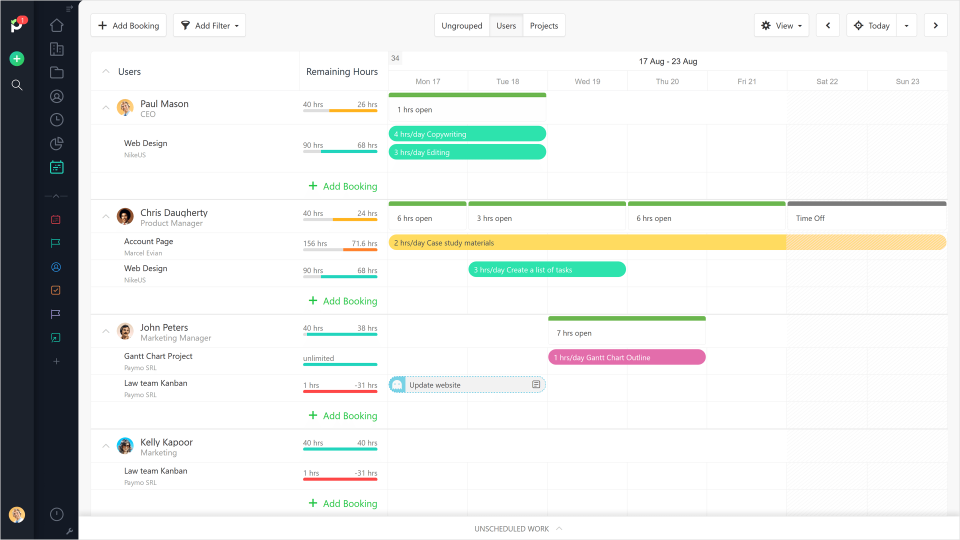
Paymo isn’t just a place for payments, it provides the entire workflow you need for project management. Mostly popular with businesses and teams who are time-focused, working with clients or online.
✨ Key Features:
- Financial Management – Paymo has a huge range of financial-related features including budget tracking, creating invoices and online payments.
- Task Hours Budget – Set the number of hours it should take for a task to be completed and compare it with team work hours.
- Dependencies – Set dependencies for tasks if it relies on another task to be completed first.
Hopefully, you have decided to take your project management to the next level by downloading one of the apps from the article.
Please let us know your thoughts, or message us if you have any unanswered questions!